
Winning fights in Fortnite often comes down to the smallest details. I have seen players practice for hours but still lose simple build battles because their keybinds slowed them down.
The best Fortnite keybinds help your hands react faster, keep your movement smooth, and make building feel more natural under pressure.
A few smart changes can save valuable time when every second counts. Instead of copying someone else’s setup without thinking, it helps to understand why certain binds work better and how they can fit your own playstyle.
Why Your Keybind Layout Determines Your Ceiling in Fortnite
Your keybind layout does more than affect comfort. It sets a real limit on how fast you can build and edit when things get hectic.
Here’s the issue. Building, editing, and moving all happen at once in a fight. The moment a keybind forces your fingers off WASD, your movement stops. In a fast exchange, even a short pause is enough to get you eliminated.
The fix isn’t random. The actions you use most need to sit right where your fingers already rest. The further a key sits from that position, the slower it reacts.
That’s why many pros split building between mouse and keyboard. It keeps your left hand locked on movement while your right handles structures. Number row binds usually break this flow and slow everything down.
Best Fortnite Keybinds for Building

Your building binds are the most important part of your layout. Get these wrong, and everything else suffers, because building is the action you’ll perform most, under the most pressure.
Recommended Building Layout
One building layout that works well for many keyboard-and-mouse players is:
- Wall: Mouse Button 5 (upper side button)
- Stairs: Mouse Button 4 (lower side button)
- Floor: X
- Roof/Cone: Left Shift
These aren’t arbitrary. Walls and stairs are usually the two most-used building pieces during fights. Putting them on your mouse means your right thumb handles them while your left hand stays locked on movement.
Floor and roof come up less often, so X and Left Shift are close enough without needing prime real estate.
Why Mouse Side Buttons Beat the Number Row
Many beginners place building pieces on the number row, but reaching those keys can briefly interrupt movement during fast fights. Mouse side buttons let your right hand handle building while your left hand stays on WASD, helping maintain movement.
If your mouse doesn’t have side buttons, Left Shift or Caps Lock is a common alternative. The Peterbot settings layout also reflects the movement-focused approach used by many competitive players.
Fortnite Edit Keybinds and Scroll Wheel Reset
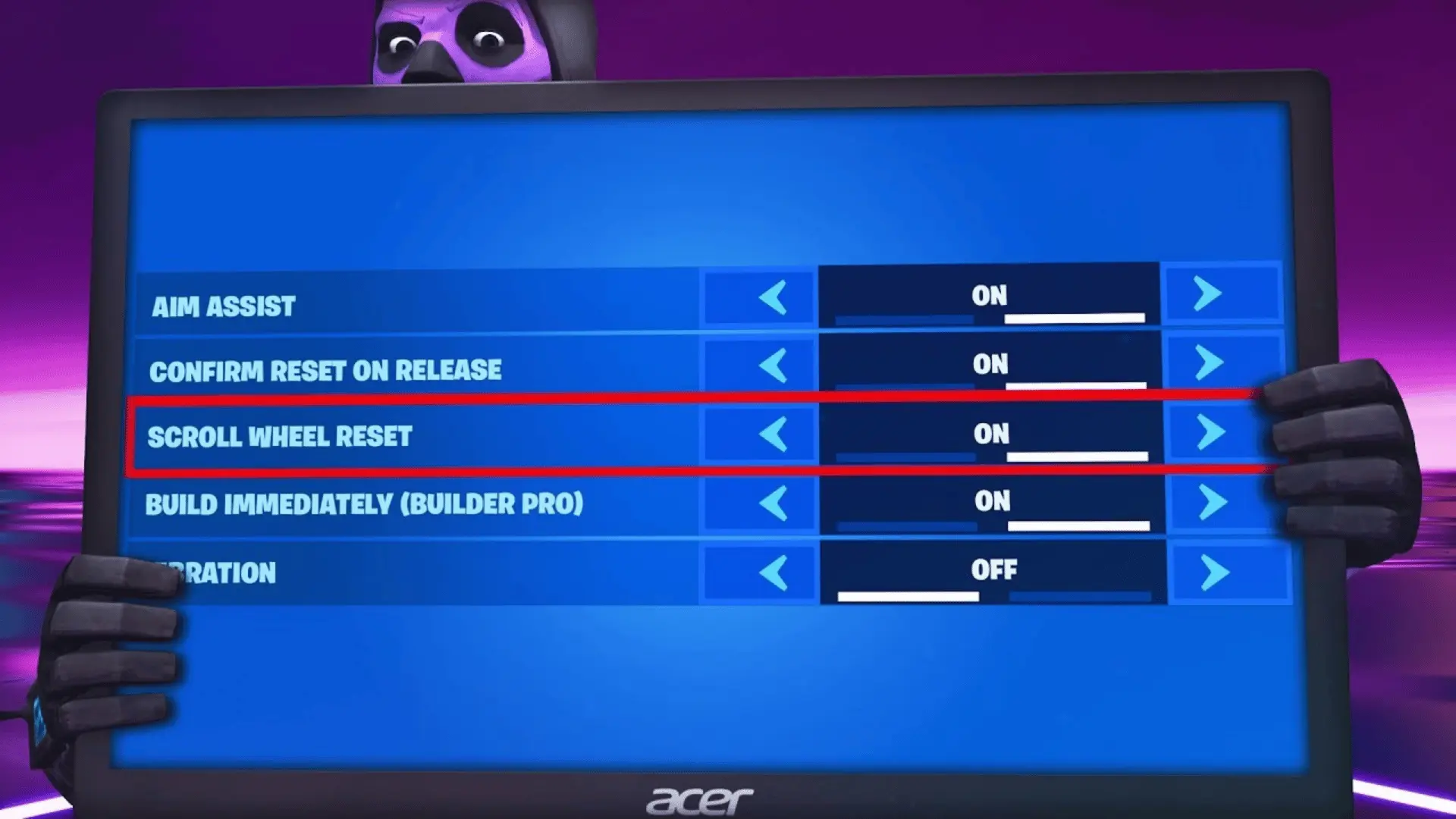
Editing is where most keyboard-and-mouse players lose time they don’t know they’re losing. The binds feel fine until you’re in a fast-edit fight; then the gaps show up.
How to Set Up the Dual Scroll Wheel Bind
Many Fortnite tutorials tell you to use the scroll wheel reset, but few explain how to configure it correctly. Open your Fortnite keybind settings and assign the following:
- Building Edit: Set your primary bind to F or E, then assign Scroll Wheel Down as the secondary bind.
- Reset Building Edit: Assign Scroll Wheel Down as the secondary bind here as well.
Both actions use the same secondary bind, which is the key part of this setup. Assigning Scroll Wheel Down to both Building Edit and Reset Building Edit lets a single scroll quickly reset an edited structure.
This setup is popular among competitive players because it speeds up edit resets.
Edit Key Selection: F vs. E
Your primary edit key handles the moment you open an edit. It needs to be fast to reach without moving your hand. F and E are the two standard choices. The difference is small but real.
- F sits one key to the right of D. Your index finger gets there without shifting your hand at all. For most hand sizes, it’s the more natural reach.
- E is slightly closer to W and S, which makes it feel more central to some players. If you have smaller hands or shorter fingers, E can feel more accessible than F.
Neither is wrong. Pick the one your index finger reaches without thinking, then leave it alone.
Best Fortnite Keybinds for Combat and Movement
Building and editing get the most attention, but your combat and movement binds still need to work around the foundation you’ve already set.
The goal here isn’t reinvention; it’s slotting the remaining actions into what’s left without creating new conflicts. Here’s the layout that works for most players:
- Pickaxe: Q
- Weapon Slots 1–5: number keys 2 through 6
- Use/Interact: E or Scroll Wheel Up
- Jump: Spacebar
- Crouch: C or Left Ctrl
A few of these keybinds deserve a closer look because they affect how quickly you can switch between building, fighting, and moving.
- Pickaxe (Q): Q is a popular pickaxe bind because it sits close to your movement keys and is easy to reach without shifting your hand far from WASD.
- Weapon Slots (2–6): Moving your pickaxe off the number row leaves keys 2 through 6 available for weapons. This layout feels familiar to many players and doesn’t conflict with common building binds.
- Crouch (C or Left Ctrl): C is a comfortable option for many players because it is easy to reach, while Left Ctrl remains a common choice for those who prefer using their pinky.
If a different bind already feels natural, keep it. Consistency is usually more valuable than changing every key.
Final Take
The best Fortnite keybinds are the ones that let you build, edit, and fight without slowing your movement. I recommend changing only one or two binds at a time so your hands have time to adjust before making more changes.
Once your layout feels natural, keep practicing instead of switching keybinds every few days. Small improvements add up over time and can make a real difference in tough matches.
If you have a favorite keybind setup or a tip that works well for you, share it in the comments below.
Frequently Asked Questions
What keybinds do most Fortnite pros use?
Most pros map the wall and stairs to the mouse side buttons (M5 and M4), the floor to X or C, and the roof to Left Shift. Edit sits on F or E, with Scroll Wheel Down as a secondary reset bind. Weapon slots stay on the number row. The exact layout varies, but nearly every pro shares one thing: mouse buttons for the two highest-frequency building pieces.
Are these keybinds good for beginners?
Yes, and they’re worth learning early rather than later. The hardest habit to break in Fortnite is leaving WASD to hit a number key. This layout is built specifically to prevent that. It feels awkward at first because the mouse side buttons are unfamiliar, not because they’re wrong. The discomfort goes away. The movement freeze from number-row binds doesn’t.
What is a scroll wheel reset in Fortnite?
It’s a two-field setup in your keybind settings. You assign Scroll Wheel Down as a secondary bind to both Building Edit and Reset Building Edit. One scrolls down, then either confirms a completed edit or cancels an incomplete one; the game decides which based on where the edit is. You don’t need a separate key to bail out of a bad edit.
Do keybinds matter more than aim or game sense?
Your layout sets a ceiling on mechanical speed; a bind that pulls you off WASD will always cost you more than a clean one. But once the layout is solid, aim and game sense improve faster than further keybind changes will. Sort the layout once, stop adjusting it, and put your practice time into the things that scale.