
Getting started with modding Skyrim can feel exciting until your first crash or a mod refuses to work.
I’ve seen many new players give up because they install several mods at once without knowing how everything fits together.
Most problems are easier to avoid than they seem when you build your setup the right way from the start. A clean game, the right tools, and a few simple habits can save hours of frustration later.
Once you understand how mods, load order, and SKSE work together, adding new content becomes much less stressful and far more enjoyable.
What Do You Actually Need Before You Start?
You need Skyrim Special Edition installed cleanly before anything else will work right.
That’s the main version modders build for. If you’re on Anniversary Edition, it still runs fine, same engine, but it adds extra Creation Club content.
I’ve seen that extra stuff cause small conflicts with mods and sometimes mess with SKSE when things don’t line up properly. So just know what version you’re dealing with before you start.
Clean install means a few simple things:
- No old mods left in the Data folder.
- No leftover Bethesda.net mod manager files.
- Launch the game once through Steam so default INI files get created.
If you’ve modded before and you’re unsure, don’t risk it. Uninstall from Steam, manually delete the leftover Skyrim folder, reinstall, then launch once before doing anything else.
Also, move the game out of Program Files. Windows protects that folder, and it can quietly break mod tools. Something like C:\Games\Skyrim Special Edition works way better.
How Does a Mod Manager Work and Which Should You Use?
Normally, every mod drops files straight into the Data folder. Do that a few times, and stuff starts overwriting other stuff, and you lose track of what changed.
That’s where mod managers step in. They stop you from directly messing up the game folder and handle everything in the background instead.
Mod Organizer 2 (MO2) vs. Vortex
The two managers worth considering are Mod Organizer 2 (MO2) and Vortex.
| Tool | How it works |
|---|---|
| MO2 (Mod Organizer 2) | MO2 (Mod Organizer 2) keeps every mod separate. Nothing gets dumped into the real game folder. It builds a “fake version” of your Skyrim setup when you launch the game. If something breaks, you know it’s isolated to that fake version, not your actual install. |
| Vortex | Vortex is more direct. It installs mods using links and then manages conflicts through its own system. It’s quicker to get going, but when things start clashing, it can take longer to figure out what actually caused it. |
For most beginners, MO2 is the better long-term choice. The setup takes a little more effort upfront.
But because every mod stays in its own separate folder, you can disable one mod at a time and immediately see whether that fixed the problem, instead of digging through a shared file structure to figure out what changed.
One situation where the answer changes: if you’re on a shared or managed PC without admin rights, MO2 has a portable mode that runs without elevated permissions. Vortex doesn’t.
How to Install and Configure Mod Organizer 2

Getting MO2 running takes about ten minutes. The steps matter more than the speed, though; one wrong path here causes problems that look completely unrelated later.
Setting Up Your First MO2 Instance
Install MO2 from Nexus Mods and run the installer.
When it asks where to install it, don’t put it inside Program Files. Put it somewhere simple like C:\Modding\MO2. This avoids Windows blocking parts of it later.
When MO2 opens for the first time, it will ask you to set up an instance. Pick portable. This keeps everything in one folder, which is easier to manage when you’re new.
Then point MO2 to your Skyrim Special Edition folder so it knows what game it’s working with.
Now check the launch setup. MO2 sometimes defaults to SkyrimSELauncher.exe. You need to change that. Set it to SkyrimSE.exe instead.
If you leave the launcher in place, SKSE won’t load properly. That means mods that depend on scripts will show as installed but won’t actually work in the game. Most “my mod isn’t working” problems come from this one mistake early on.
Linking MO2 to Nexus Mods
Open MO2 settings and go to the Nexus Mods tab. Click Connect to Nexus. It will open your browser and ask you to approve the link using your Nexus account.
Finish that login step in the browser and wait for it to confirm. Don’t close the window early. If you skip or interrupt it, MO2 won’t connect properly.
Once it’s done, MO2 will show a confirmation. From that point on, any “Mod Manager Download” button on Nexus will send mods straight into MO2 instead of dumping files you have to install by hand.
What Is SKSE and Why Does It Break When Skyrim Updates?
SKSE, short for Skyrim Script Extender, is a small tool that runs with Skyrim and unlocks extra functions that mods need.
A lot of the big mods depend on it. Without SKSE, they either won’t load properly or parts of them just won’t work in-game.
Here’s the catch. SKSE is built for one exact version of Skyrim’s main file, not just “Skyrim SE” in general, but the exact executable version. When Steam updates Skyrim, even a tiny one, that file changes.
When that happens, SKSE no longer matches the game. The game still opens, so it looks fine at first, but anything that depends on SKSE breaks silently. No clear error, just mods not doing anything anymore.
How to Disable Steam Auto-Updates for Skyrim
Right-click Skyrim SE in your Steam library and open Properties. Under the Updates tab, set automatic updates to “Only update this game when I launch it.”
Then always launch through MO2, never directly through Steam. Steam can’t trigger an update; it never gets the chance to start.
How to Verify Your SKSE Version Is Correct
Launch Skyrim through MO2 once after installing SKSE. Then go to your Skyrim folder, openData/SKSE/, and find SKSE.log.
Open that file. The first lines will tell you if SKSE loaded properly and which game version it detected. That’s your quick check to make sure everything is actually lining up.
If the versions don’t match, the log makes it obvious.
Fix is simple every time: either update SKSE to match your current Skyrim build or roll Skyrim back to the version SKSE supports.
One thing people learn the hard way with Anniversary Edition is that the update changed the game version and broke many SKSE-based mods at once.
Mods like SkyUI or RaceMenu won’t work unless your SKSE version matches what they expect, so always check the mod’s requirements against your actual game version, not just whether SKSE is installed.
How to Mod Skyrim: Installing Your First Mod
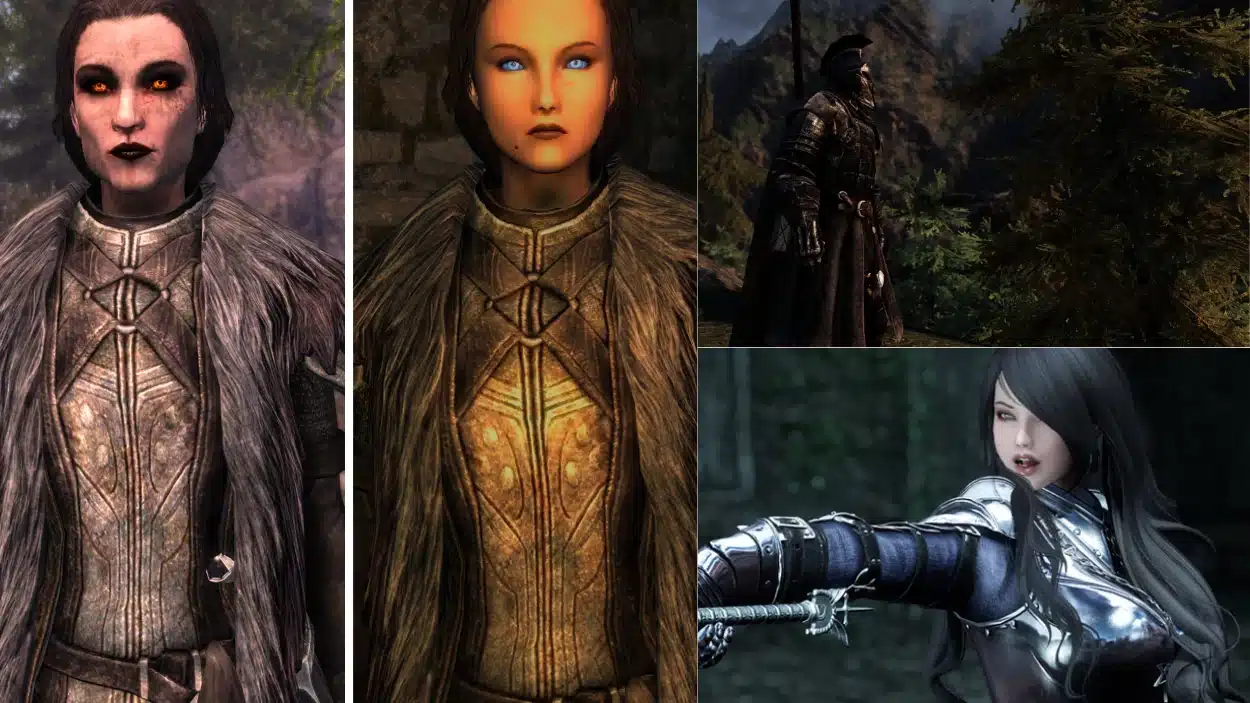
This is where modding Skyrim starts to feel real. The workflow you build here is the same one you’ll repeat for every mod after it, so it’s worth getting it right the first time.
If you’re not sure what to install first, the Unofficial Skyrim Special Edition Patch (USSEP) is a good first choice.
It mainly fixes bugs Bethesda never got around to without adding major gameplay changes, making it an easy way to practice installing and activating a mod before moving on to larger mod packs or gameplay overhauls.
Before you download anything, open the mod’s page on Nexus and read the description. The whole thing. I know that sounds obvious, but most beginner problems trace back to skipping this step.
The Requirements tab tells you what the mod needs to function with other mods, which specific SKSE versions it requires, or which files must load before it.
Miss a requirement and the game will either crash at startup or behave in ways you can’t easily explain.
Checking Mod Requirements Before You Download
Requirements listed on a mod page aren’t suggestions. They’re dependencies. If a mod lists another mod as a master file, your game will crash on launch if that master isn’t present and sitting above it in the load order.
Check three things before downloading:
- What the mod requires under the Requirements tab
- Whether those requirements have their own requirements
- Whether anything listed is flagged as incompatible with mods you already have
It takes two minutes. It saves an hour of troubleshooting.
Activating the Mod and Verifying In-Game
Once you’ve downloaded it through Nexus, MO2 automatically detects the file. It appears in your Downloads tab on the right. Double-click it to install, then look for it in the left pane and check the box to activate it.
If the mod includes an ESP plugin, it will also appear in the right pane of your load order. Make sure it’s checked there too. Both panes matter. A mod active in the left pane but unchecked in the right pane won’t have any effect in-game.
ESP Plugins and Left-Pane Only Mods
One thing that confuses a lot of people starting out with modding Skyrim is that some mods don’t have an ESP at all.
Texture replacers, mesh swaps, and some animation mods are left-pane only. If you install one and see nothing in the right pane, that’s normal, not a sign that something went wrong.
Launch through MO2 and check in-game. Most mods give you something visible to confirm a new menu, a changed appearance, or an MCM entry.
If nothing shows up, go back to both panes before assuming the mod is broken. Once you’ve got this workflow down, resist the urge to install everything at once.
Add a handful of mods, launch the game, and confirm things are stable before adding more. If something breaks with five new mods active, you’re checking five suspects. If it breaks with fifty, you’re starting from zero.
What Goes Wrong and How to Fix It
Even a careful setup runs into problems. Most of what goes wrong when you’re learning how to mod Skyrim falls into four categories, and knowing which one you’re in tells you exactly where to look.
- The game crashes on startup. This is almost always a missing master file. A mod you installed requires another mod that isn’t present. Open MO2’s right pane and look for any ESP flagged with a warning icon. That flag means a required file is missing. Install the dependency, relaunch.
- A mod isn’t doing anything in-game. Check the left pane first. Is the mod activated? Then check the right pane: is the ESP enabled? Both have to be on. If both are active and you’re still seeing nothing, confirm you’re launching through MO2 and not Steam directly.
- SKSE stops working after an update. Skyrim has been updated, and the version no longer matches. Check your
SKSE.logfile; it will say exactly which versions it found. Either update SKSE to match, or if no matching version exists yet, use Steam’s beta branch to roll back to the previous game build. - Mods are conflicting with each other. Two mods are editing the same game record, and the wrong one is winning. Run LOOT, the Load Order Optimisation Tool, to auto-sort your load order and flag known conflicts. LOOT handles most common cases automatically. For deeper conflicts between records, you’ll need xEdit, but that’s a later step. For now, LOOT resolves the majority of what beginners run into.
Most problems in modding Skyrim aren’t mysterious. They have a cause, and that cause is usually visible if you know where to look.
Conclusion
A stable setup for modding Skyrim comes from taking your time and building one step at a time. I’ve found that installing a few mods, testing them, and reading each mod page carefully prevents most of the common problems beginners face.
Once your base setup is working well, adding new mods becomes much easier and far less frustrating.
You do not need hundreds of mods on day one to enjoy the game. Start small, learn how everything works together, and build your collection with confidence.
Have a favorite Skyrim mod or a helpful tip? Share it in the comments and join the conversation!
Frequently Asked Questions
Is Skyrim modding safe for my PC?
Modding carries no risk to your operating system or hardware. The risk is limited to your game installation; a badly configured mod can corrupt a save file or cause crashes. A mod manager keeps all mod files separate from the base game, so removing a problem mod is straightforward. Your PC is never in danger.
Do I need Anniversary Edition, or will Special Edition work?
Either works. Special Edition has the larger pool of fully tested, compatible mods and is what most guides, including this one, assume you’re running. Anniversary Edition works too, but the additional Creation Club content affects SKSE compatibility and requires a little more attention during setup.
What is a load order, and why does it matter?
When two mods change the same thing, the one sitting lower in the load order wins. Most of the time that’s harmless. But some combinations, especially mods touching combat, magic, or NPC behavior, produce crashes or broken behavior if the order is wrong. LOOT sorts this automatically for most setups.
Can I mod Skyrim on Xbox or PlayStation?
Yes, but with real limitations. Console modding uses Bethesda’s in-game browser rather than Nexus Mods, and SKSE isn’t supported on either platform. That rules out a large share of the PC mod library; most visual overhauls, script-heavy gameplay mods, and anything requiring SkyUI or RaceMenu are PC only.