
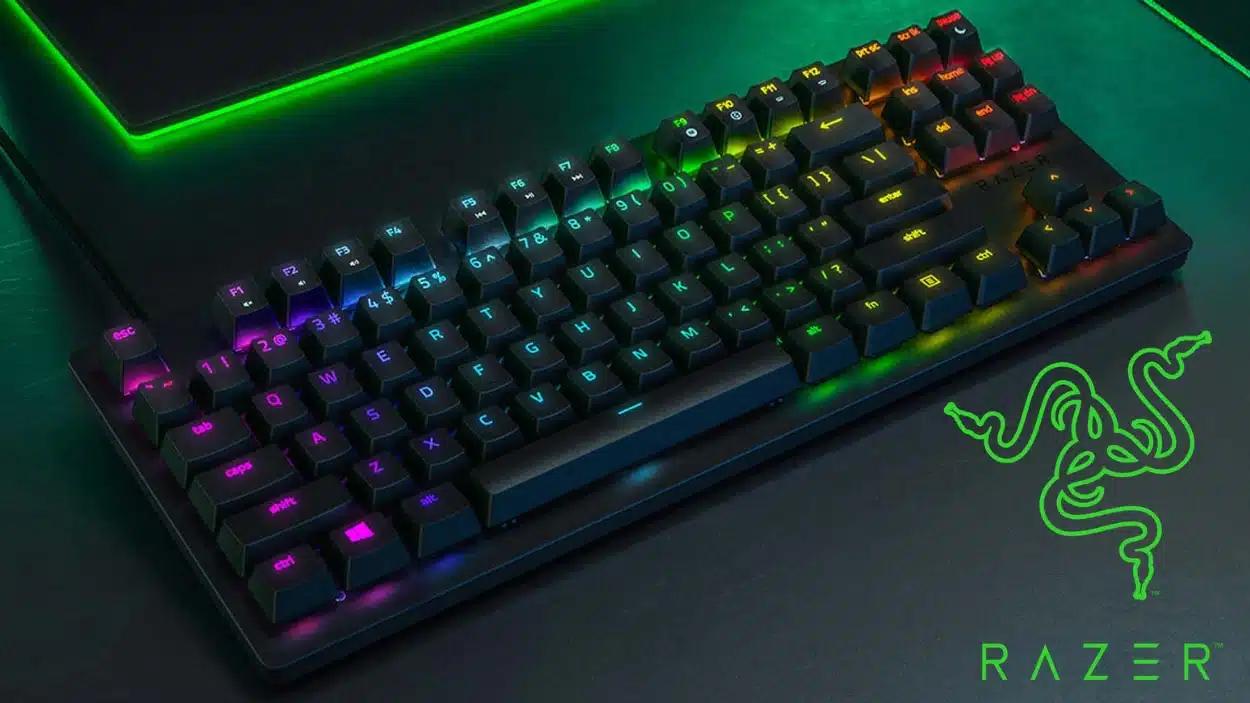
I know what it feels like when your keyboard holds you back during intense gaming sessions. Slow response times and mushy keys can cost you the match.
You need gear that keeps up with your skills, not equipment that slows you down.
I’m here to show you how the Razer Huntsman Tournament Edition can change your game. This keyboard delivers the speed and precision competitive players need. It’s built for those who take gaming seriously.
In this blog, I’ll walk you through everything this keyboard offers.
You’ll learn about its key features, why it stands out, and how it can help you perform better. Let’s get started.
Product Overview
Let me break down what you’re getting with the Tournament Edition. Here’s a quick snapshot of the specs.
| Specification | Details |
|---|---|
| Switch Type | Razer Linear Optical Switches |
| Actuation Force | 45g |
| Actuation Distance | 1.0mm |
| Form Factor | Tenkeyless (TKL) |
| Cable | Detachable USB-C |
| Lighting | Per-key RGB |
| Build Material | Aluminum top plate |
| Keycaps | Doubleshot PBT |
| Weight | 680g |
| Dimensions | 362 x 139 x 36mm |
| Polling Rate | 1000Hz |
Design and Build Quality
The Razer Huntsman feels solid right out of the box. The aluminum top plate doesn’t flex or creak when you type. I’ve tested it for hours, and it stays firm on my desk.
The TKL layout cuts out the number pad. This gives you more room to move the mouse, which is huge for FPS games. The cable detaches easily, so you can throw this in a bag for LAN parties.
PBT keycaps resist shine better than ABS plastic. After months of use, they still feel textured. The legends are double-shot molded, so they won’t fade.
RGB lighting shines through clearly without being too bright. Build quality matches keyboards that cost twice as much.
Razer Huntsman Tournament Edition – Everything to Know About
Now let’s get into the meat of what makes this keyboard tick. I’ll cover the features, how it performs, and the software side.
Key Features
Razer’s linear optical switches are the star here. Light-based actuation means faster response times than traditional mechanical switches. You get 1.0mm actuation distance, which is incredibly short.
Key highlights include:
- 100 million keystroke lifespan
- N-key rollover with anti-ghosting
- On-the-fly brightness control
- Gaming mode option to disable the Windows key
The detachable USB-C cable is braided and durable. You won’t deal with fraying after repeated packing. Cable routing channels on the back let you position it however you want.
Performance and Testing
I tested this keyboard across multiple games and typing scenarios. Response time is noticeably faster than standard mechanical switches. In competitive shooters, every millisecond counts.
Typing feels light and fast. The 45g actuation force means less finger fatigue during long sessions. Some people prefer heavier switches, but I found these perfect for both gaming and work.
Performance breakdown:
- Zero input lag during rapid key presses
- Smooth linear feel with no tactile bump
- Quiet operation compared to clicky switches
- Consistent actuation across all keys
Software and Customization
Razer Synapse 3 handles all customization. You can remap any key, create macros, and save profiles. The interface is straightforward once you get used to it.
Lighting effects sync across all Razer gear if you have multiple products. You can set different profiles for different games.
The software does require an account, which some people dislike, but it works reliably.
Software features:
- Per-key RGB programming with effects
- Macro recording with timing options
- Cloud sync for settings backup
- Integration with other Razer devices
Pros and Cons
Every keyboard has strengths and weaknesses. Here’s what I found after extensive use with the Razer Huntsman Tournament Edition.
Pros:
- Lightning-fast optical switches respond instantly
- Durable PBT keycaps resist wear and shine
- Compact TKL design saves valuable desk space
- Solid aluminum frame feels premium and sturdy
- The detachable cable makes transport simple
- Bright RGB lighting looks sharp without glare
Cons:
- Linear switches only – no tactile or clicky options
- Requires Synapse software for full customization
- No wrist rest is included in the box
- Price point sits higher than budget options
- Light actuation may cause accidental key presses initially
Comparison to Similar Keyboards
Let me show you how the Huntsman Tournament Edition stacks up against similar options. Here’s what you need to know.
| Feature | Razer Huntsman TE | Logitech G Pro X | SteelSeries Apex Pro TKL |
|---|---|---|---|
| Switch Type | Optical Linear | Hot-swappable Mechanical | Adjustable Magnetic |
| Actuation | 1.0mm | 2.0mm | 0.4-3.6mm |
| Keycaps | PBT | ABS | ABS |
| Price Range | $$ | $$ | $$$ |
| Cable | Detachable | Detachable | Detachable |
| Software | Synapse 3 | G Hub | SteelSeries Engine |
Final Verdict
The Razer Huntsman Tournament Edition delivers where it counts. You get fast optical switches, durable build quality, and a compact design that works for gaming and typing.
It’s not perfect, the linear switches won’t suit everyone, and you’ll need Synapse for full control.
But if you want speed and reliability without spending a fortune, this keyboard checks the boxes.
Ready to upgrade your setup? The Huntsman Tournament Edition is worth considering.
Drop a comment below and tell me what keyboard you’re currently using. I’d love to hear your thoughts on what matters most in gaming gear.