
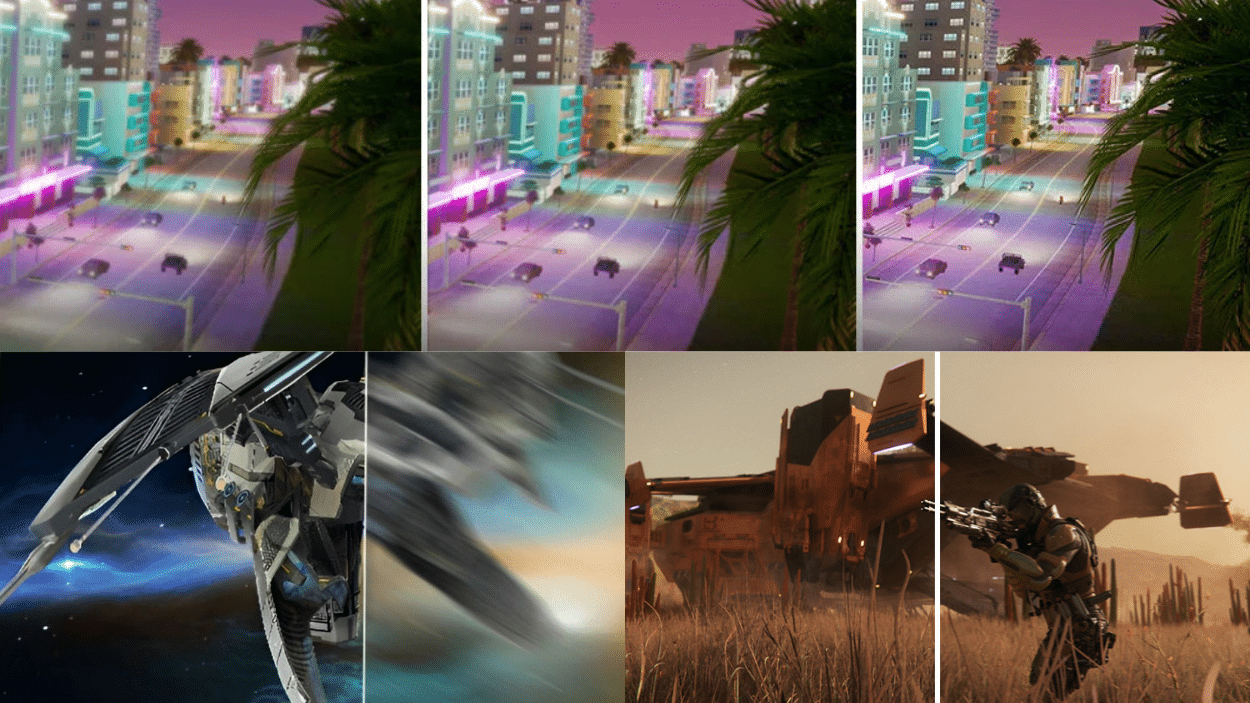
Gaming monitors have come a long way. But choosing the right refresh rate? That’s where many gamers get stuck. You want smooth gameplay without motion blur, yet the options seem confusing. I get it.
I promise to clear up the confusion around refresh rates.
You’ll learn exactly what refresh rate you need for your gaming style and budget.
This blog will show you the best refresh rates for different game types.
I’ll explain how refresh rates affect your gaming experience. And I’ll help you figure out what is a good refresh rate for gaming based on what you actually play.
What is Refresh Rate and How Does it Work?
Refresh rate measures how many times per second your monitor updates the image. It’s measured in Hertz (Hz). A 60Hz monitor refreshes 60 times every second. A 144Hz monitor refreshes 144 times per second.
Think of it like a flipbook. More pages mean smoother animation. Your graphics card sends frames to your monitor.
The monitor then displays these frames at its refresh rate. Higher refresh rates show more frames. This creates smoother motion on screen.
The refresh rate doesn’t create extra frames, though. It just displays what your GPU sends. If your GPU only produces 60 frames per second, a 240Hz monitor won’t make much difference.
What is a Good Refresh Rate for Gaming and Why Does it Matter?
The best refresh rate for gaming depends on what you play. Competitive shooters benefit from 144Hz or higher refresh rates. Strategy games work fine at 60Hz or 75Hz.
Here’s why it matters. Higher refresh rates reduce motion blur. They make tracking moving targets easier. Your inputs register faster on the screen, too. This gives you a competitive edge in fast-paced games.
But there’s a catch! You need a powerful GPU to match high refresh rates.
A 240Hz monitor needs 240 frames per second for full benefit. Otherwise, you’re not using its full potential.
For casual gaming, 60Hz works perfectly fine. For competitive play, 144Hz is the sweet spot. Professional gamers often choose 240Hz or even 360Hz. Your budget and GPU power should guide your choice.
Comparing Refresh Rates – 60Hz, 75Hz, 144Hz, and 240Hz
Each refresh rate offers different benefits. Let me break down what is a good refresh rate for gaming at each level.
| Refresh Rate | Best For | GPU Requirements | Key Benefits |
|---|---|---|---|
| 60Hz | Casual gaming, story-driven games | Low to mid-range GPUs | Affordable, widely available, easy to run |
| 75Hz | Light competitive gaming | Mid-range GPUs | Slight improvement over 60Hz, budget-friendly |
| 144Hz | Competitive FPS, esports | Mid to high-range GPUs | Smooth gameplay, responsive, great for most gamers |
| 240Hz | Professional esports | High-end GPUs | Ultra-smooth, minimal input lag, competitive advantage |
Benefits and Drawbacks of Higher Refresh Rates
Higher refresh rates sound great on paper. But they come with trade-offs you should know about.
Benefits:
- Smoother gameplay with less stuttering
- Reduced motion blur during fast movements
- Better response times for competitive play
- Easier to track enemies in shooters
- More comfortable for long gaming sessions
Drawbacks:
- Requires expensive, powerful graphics cards
- Higher cost for monitors
- Minimal benefit in slower-paced games
- Demands more power consumption
- Not all games support high frame rates
How to Choose the Right Refresh Rate for Your Gaming Setup
Picking the right refresh rate isn’t complicated. You just need to match it with your hardware and gaming habits.
1. Check Your Graphics Card
Your GPU determines what refresh rates you can actually use. Check what frame rates it achieves in your favorite games. A GTX 1660 handles 144Hz at 1080p. An RTX 4070 can easily push 240Hz.
2. Consider Your Game Types
Fast shooters like Valorant or CS: GO benefit from 144Hz or higher refresh rates. RPGs and strategy games work fine at 60Hz or 75Hz.
3. Match Your Budget
Higher refresh rate monitors cost more. A good 144Hz monitor starts around $200. A 240Hz model runs $300 or higher. Don’t overspend on features your GPU can’t support.
4. Think About Resolution Too
Refresh rate and resolution work together. Higher resolutions demand more from your GPU. Running 1440p at 144Hz needs serious graphics power. 4K at 144Hz? That requires top-tier hardware.
5. Plan for Future Upgrades
Buy a monitor that grows with your setup. Getting a 144Hz monitor now makes sense even with a weaker GPU. You can upgrade your graphics card later and fully take advantage of that refresh rate.
Conclusion
So what is a good refresh rate for gaming? It depends on your setup and what you play.
Casual gamers do great with 60Hz or 75Hz monitors. Competitive players see real benefits from 144Hz. And professionals might want 240Hz for that extra edge.
Your graphics card matters most here. Match your monitor to what your GPU can actually deliver. Don’t buy a high-refresh-rate display if your hardware can’t keep up.
Start with 144Hz if you’re unsure. It’s affordable and works for most gaming styles.
Ready to upgrade your monitor? Check out our gaming setup guides for more tips.