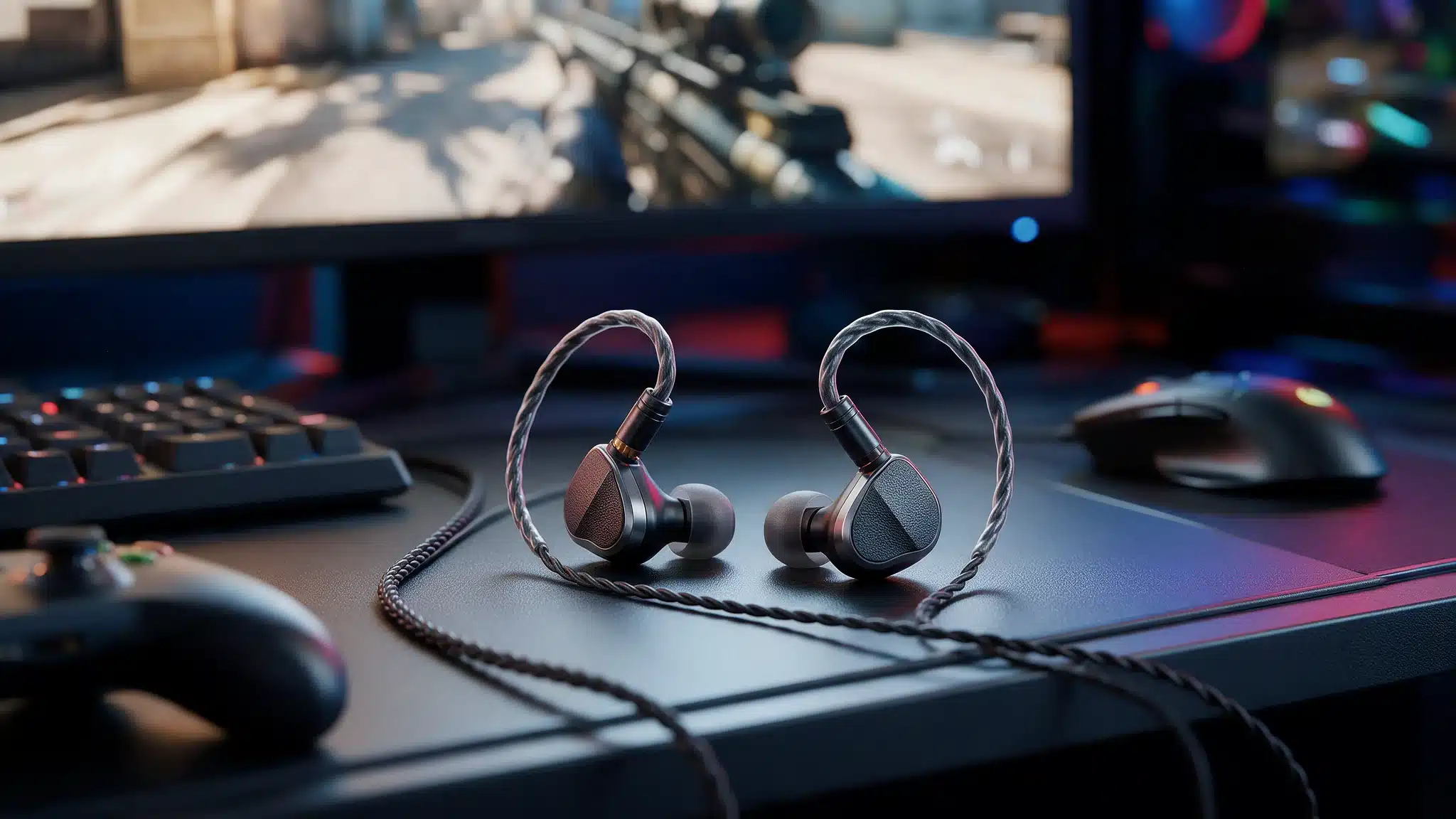
Ever wrestled with a headset cable, only to have the headband squeeze your skull by round three? My old over-ear pair did exactly that, and it sent me hunting for something smaller.
If you landed here looking for the best IEMs for gaming, that feeling probably sounds familiar. Shopping can get noisy fast, with long spec lists and loud opinions on every forum.
Think of this as a friendly nudge rather than a final verdict, since taste varies a lot. So the picks here are sorted by how people actually play, and a short primer on a few terms comes first so the rest reads easily.
How In-Ear Monitors Change Game Audio
In-ear monitors, or IEMs, are small earphones that sit inside the ear canal and seal it with silicone or foam tips. That seal blocks part of the room noise, so quiet cues like footsteps have a better shot at being heard, though results vary with ear shape and fit. Reviews lean on a few terms, so here is the short version.
Sound separation is how easily you can tell overlapping noises apart, such as gunfire and a reload. Directional imaging is how accurately you can place where a sound comes from. Soundstage is how wide the audio feels, and a wide stage does not guarantee accurate direction.
Cue clarity is how well a faint sound stays audible in a busy mix. Competitive shooters usually rely more on separation and imaging, while story games reward clear voices and long-session comfort.
Best IEMs for Gaming Compared by Price and Use Case
Figures come from manufacturer pages and retailer listings. Prices are approximate reference figures and may vary with retailer discounts, cable versions, and availability. Each pair is sorted by the job it handles best.
IEM | Approx. Price in USD | Best Use Case |
|---|---|---|
Oriveti bleqk Dynabird | $99 | All-round play |
Sony INZONE E9 | $149.99 | Competitive shooters |
KZ Castor Pro | Under $30 | Adjustable budget tuning |
Meze Audio Alba | $159 | Games and music |
Truthear Gate | $22.99 | Story-driven games |
MOONDROP CHU III | $24.99 | Cozy games |
SteelSeries TUSQ | $39.99 | Built-in boom microphone |
Kiwi Ears Astral | $299 | Premium play |
The TUSQ is the most straightforward choice here for a built-in boom microphone.
Best IEMs for Gaming: Pairs Reviewed One by One
Each model below gives something up, so the weak spots are flagged alongside the strengths. Fit varies from ear to ear, so it’s worth reading the limits before you order.
1. Oriveti bleqk Dynabird for All-Round Play
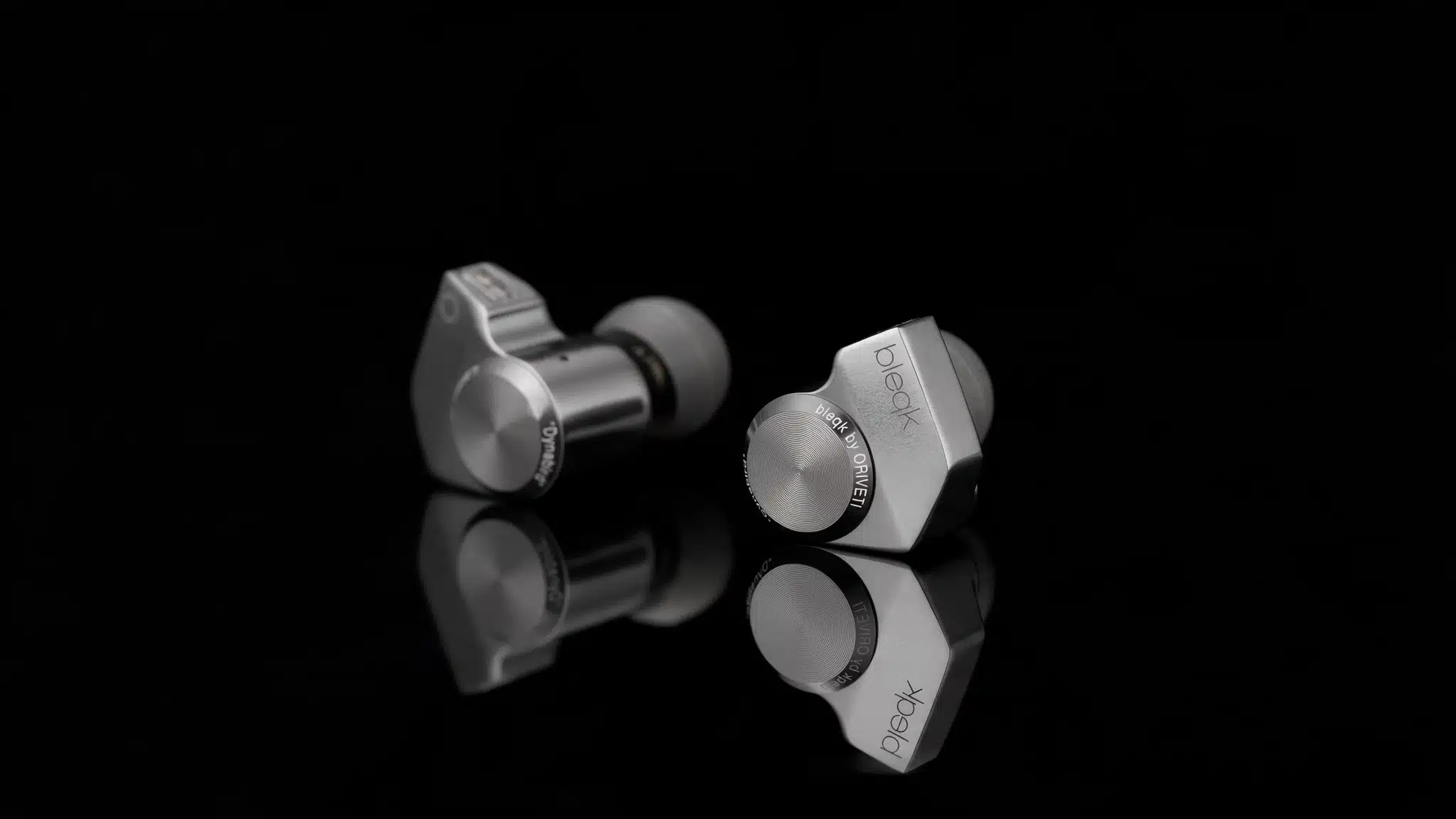
Precise directional cues in shooters, plus a pleasant balance for music and movies, define the Oriveti bleqk Dynabird, which costs about $99.
It uses a detachable cable with a 3.5mm plug and has no microphone. One reported drawback is moisture building up around the nozzle filter, so check and clean the nozzle carefully when needed.
2. Sony INZONE E9 for Competitive Shooters
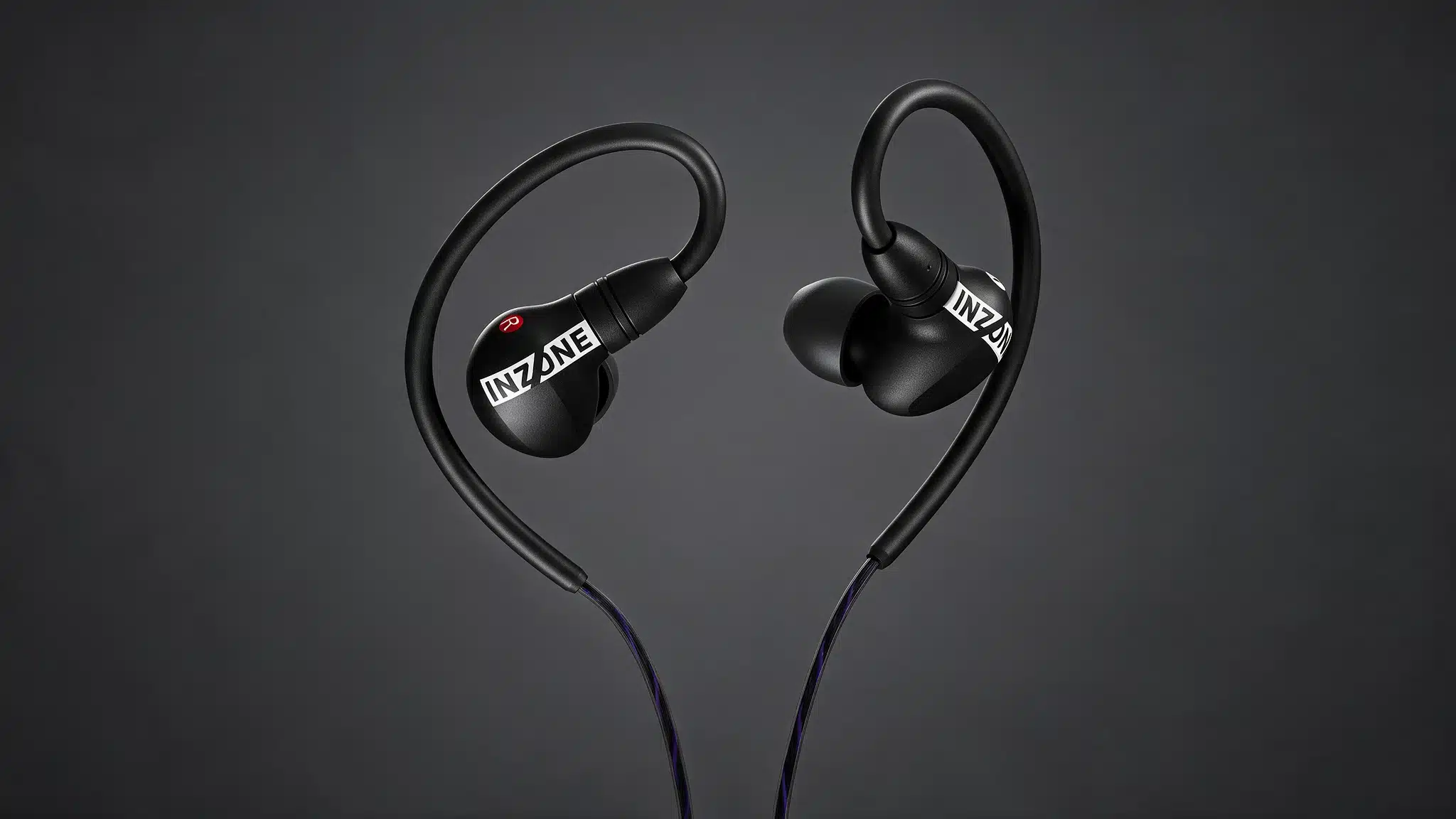
The Sony INZONE E9 focuses on sound separation and passive isolation, costs $149.99, and helps competitive players pick out footsteps during busy firefights.
Its USB-C audio box works with compatible Windows PCs for EQ and spatial sound through INZONE Hub, but Sony advises using the DualSense 3.5mm jack on PS5. There is no microphone, and the tuning sounds restrained for music.
3. KZ Castor Pro for Tight Budgets
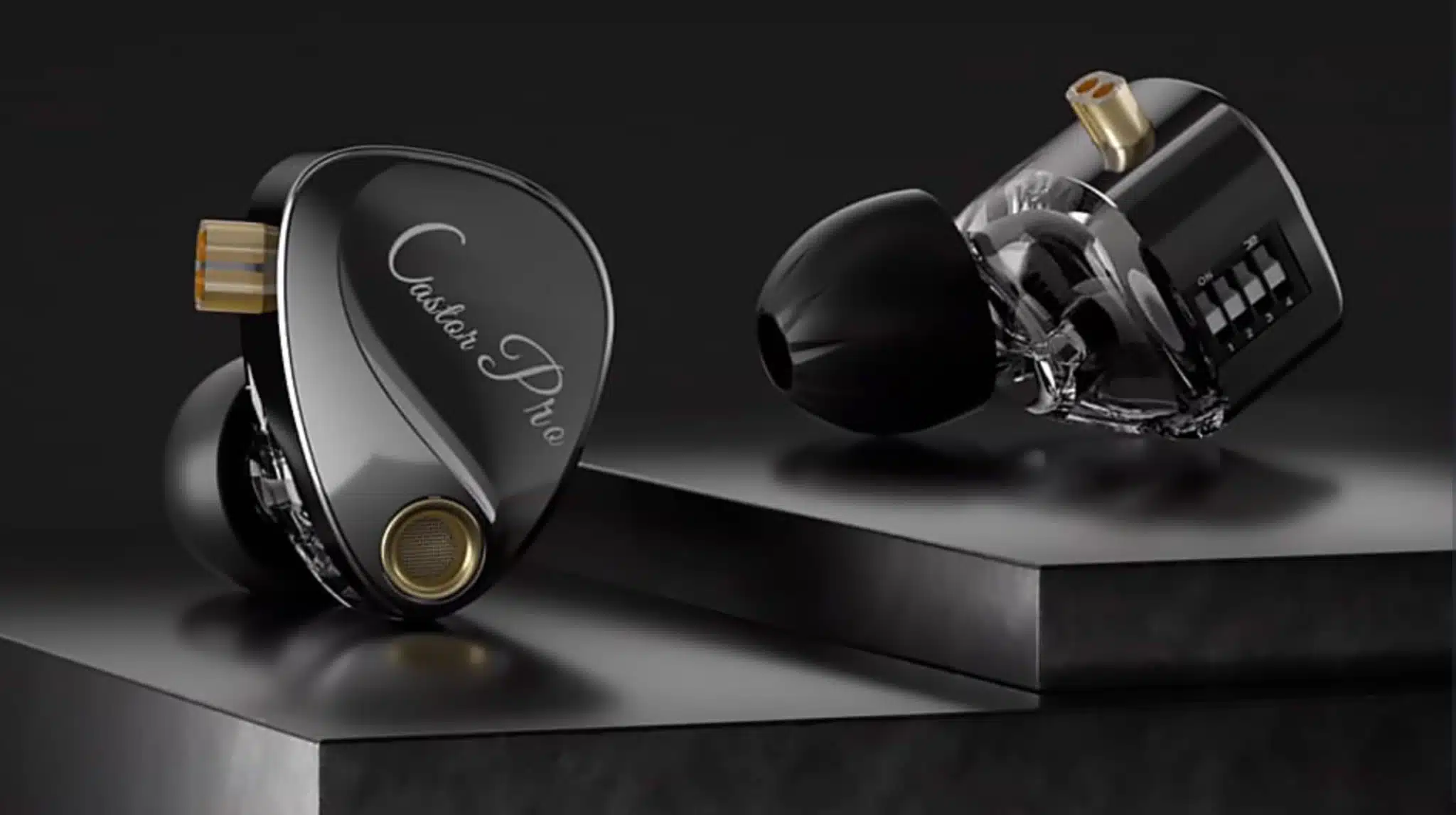
Two 10mm moving-coil drivers per earpiece (a voice coil moving a diaphragm) and four tuning switches make the KZ Castor Pro an interesting budget option under $30.
Harman-target and bass-enhanced versions exist (Harman is a popular reference curve), and optional microphone cables are available. The switches change tone, not positioning, so competitive use needs independent testing first.
4. Meze Audio Alba for Games and Music
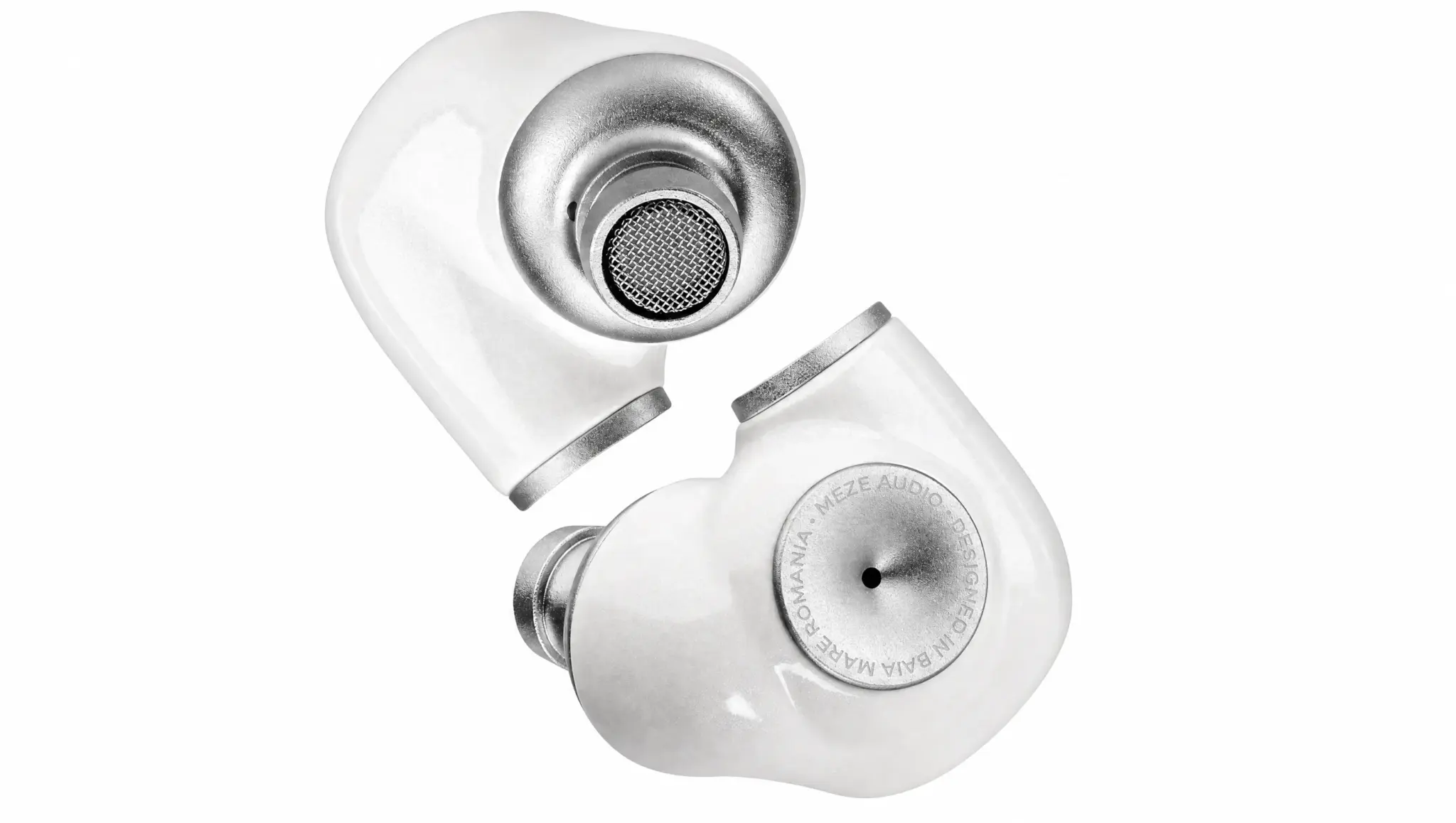
Deep, punchy bass with clear vocals makes the Meze Audio Alba, at $159, a fit for action titles and everyday playlists. Check the version: the standard Alba includes a USB-C DAC adapter, while the Alba S package does not.
It has no microphone, though a compatible 2-pin replacement cable with an inline microphone can add one. Audio feels close and narrow, which can be tiring for long sessions.
5. Truthear Gate for Story Games
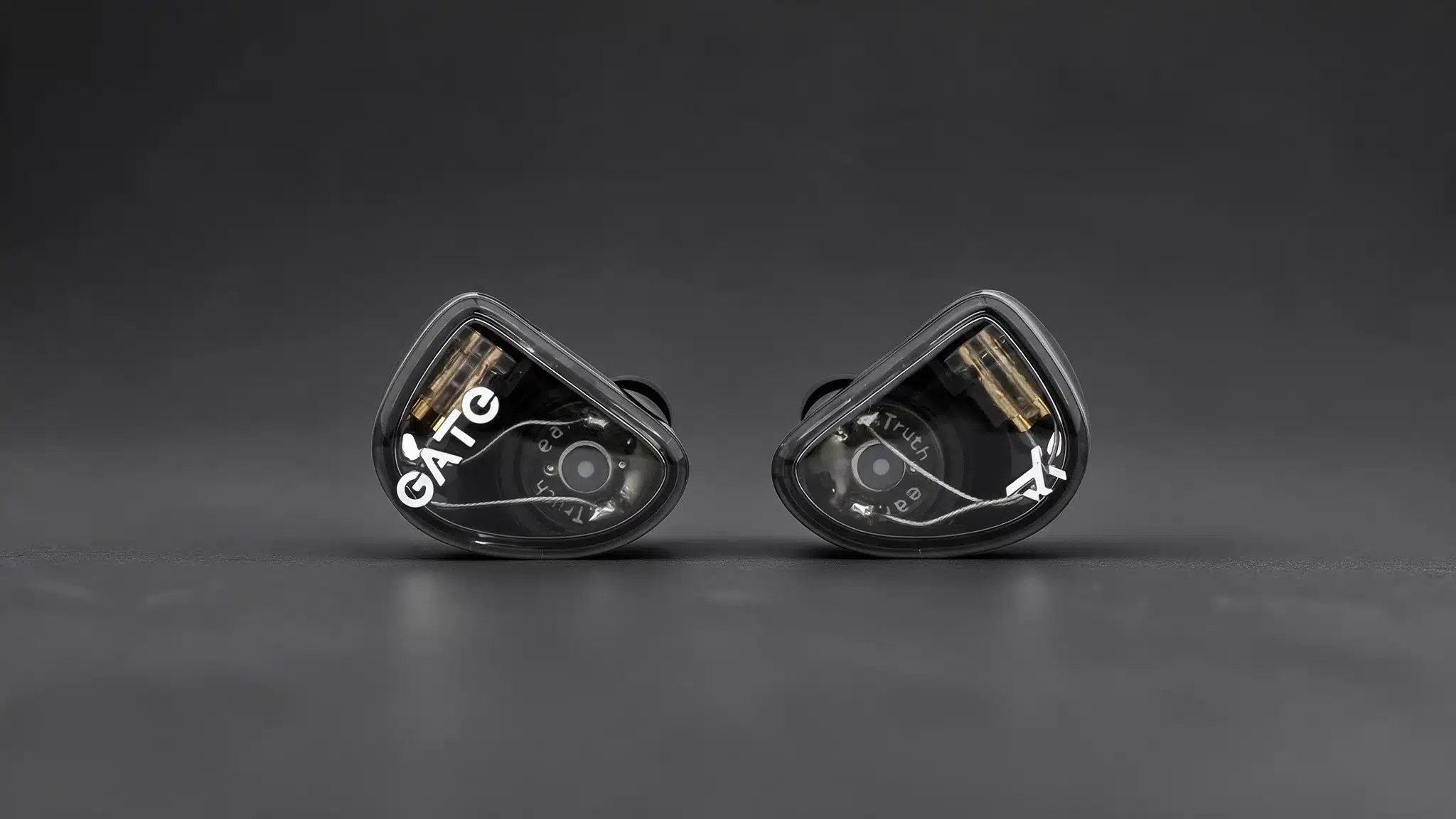
The Truthear Gate keeps dialogue clear with relaxed treble, and it costs $22.99 and stays light enough for long sessions.
Its 10mm moving-coil driver and detachable cable suit casual play, and an inline microphone version is available. Players who prioritize precise competitive positioning should compare it with the Sony INZONE E9 or Dynabird.
6. MOONDROP CHU III for Cozy Sessions
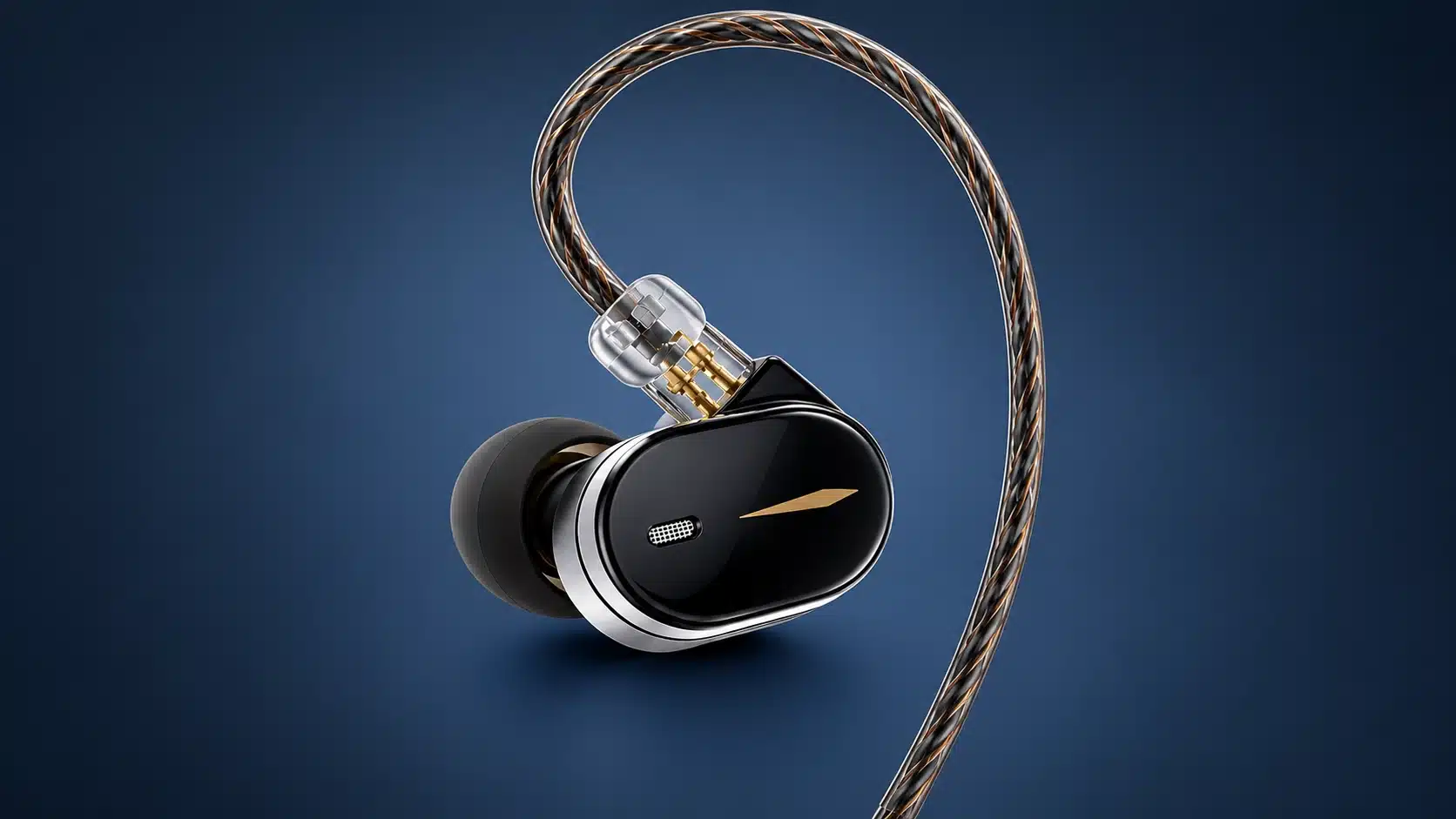
Its small size and forward vocals make the MOONDROP CHU III a pick for all-day wear at $24.99. It uses a 10mm moving-coil driver and a replaceable 3.5mm cable, with no USB-C version.
Passive isolation is below average, direction cues feel vague, and there is no microphone, so noisy rooms and shooters are poor fits.
7. SteelSeries TUSQ for Built-In Voice Chat
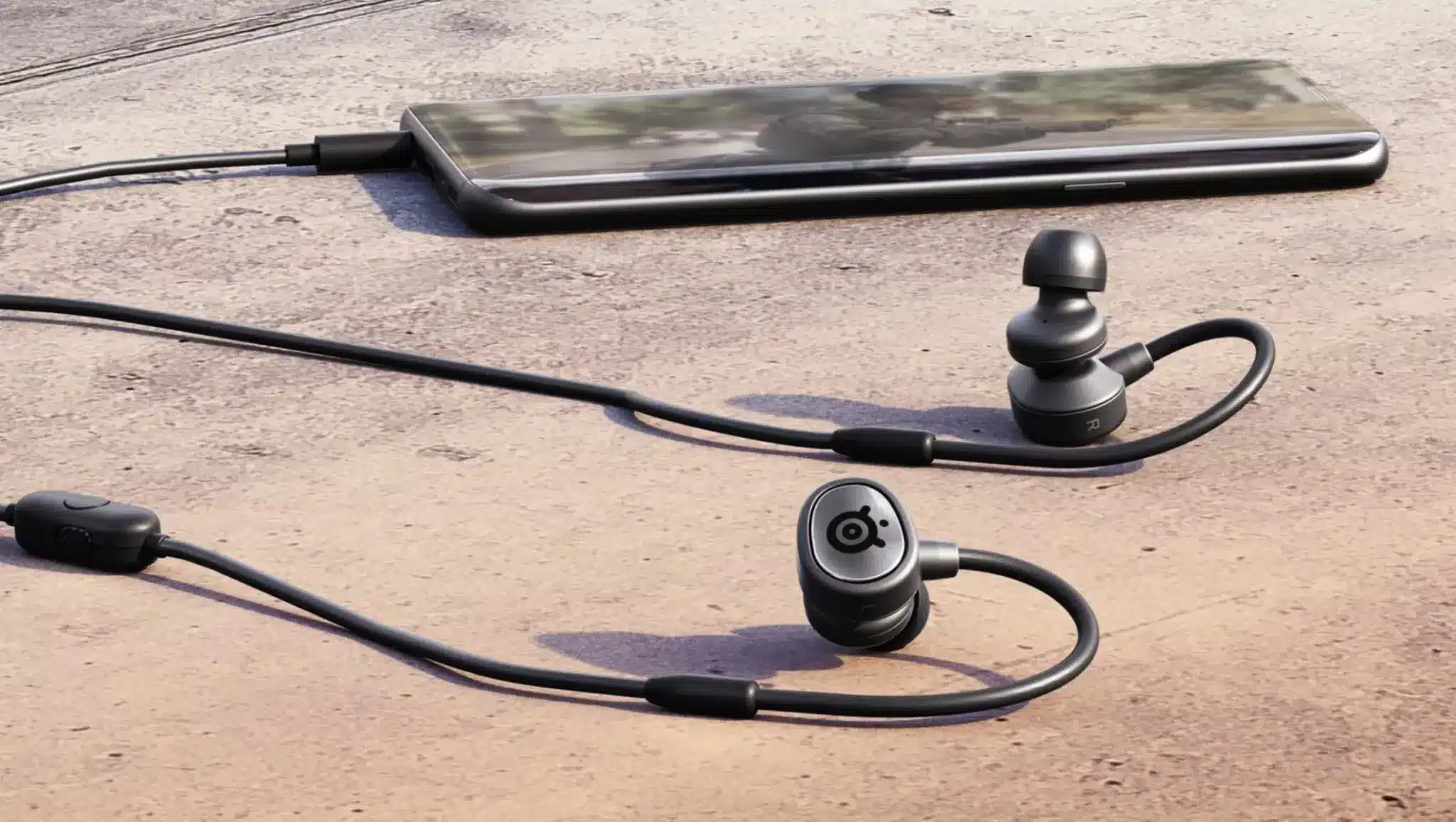
A detachable boom microphone sets the SteelSeries TUSQ apart at $39.99, with a backup inline mic and a 3.5mm plug. Three silicone ear tip sizes and a carrying case come in the box.
It works like a headset in earphone form, and a dedicated USB microphone can record better voice quality, depending on its design and room.
8. Kiwi Ears Astral for Premium Play
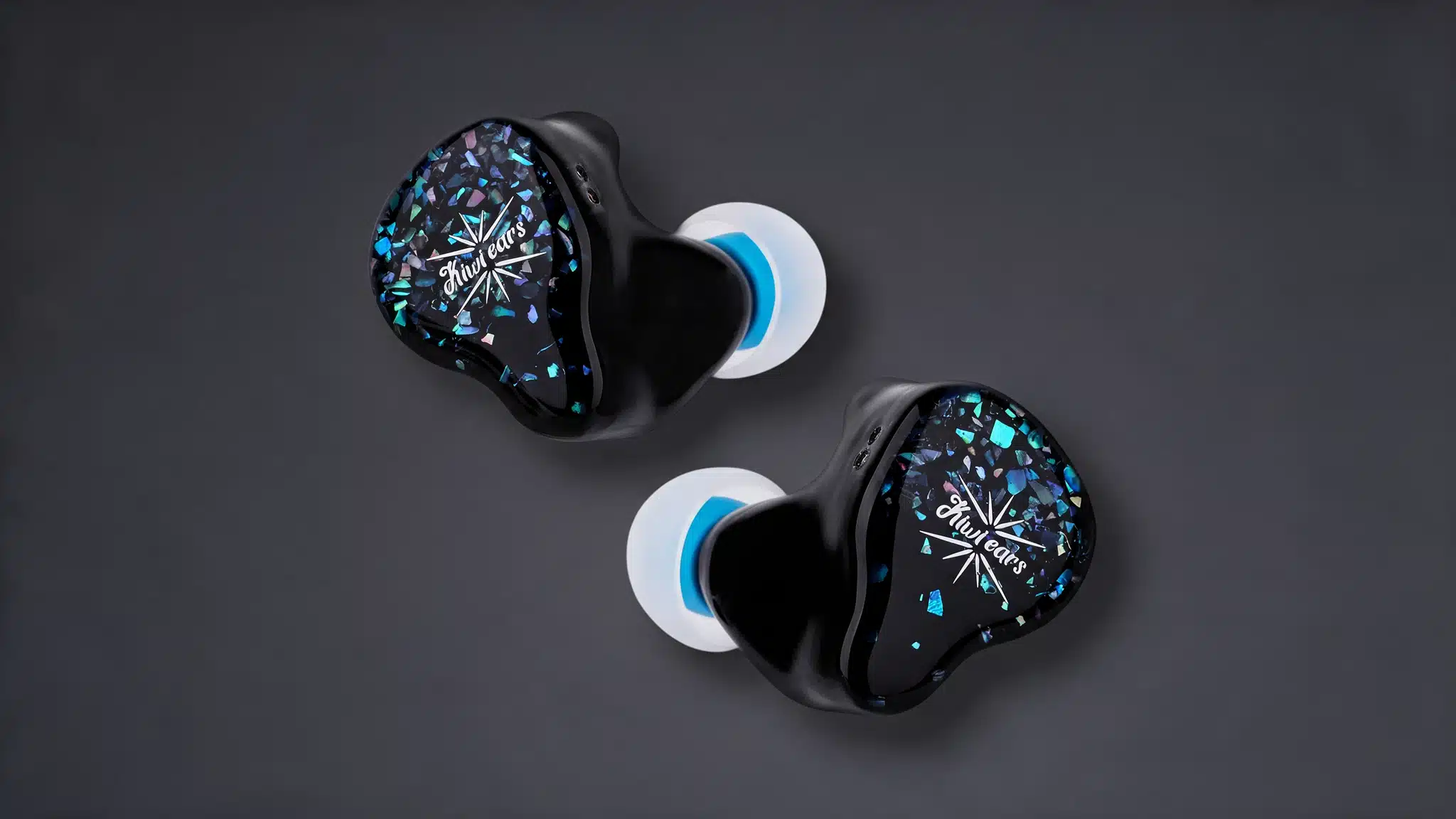
One moving-coil driver and six balanced armature drivers per earpiece (small units that each cover narrower frequency ranges) power the Kiwi Ears Astral, which costs $299.
A 9dB sub-bass shelf (a lift in the lowest bass) adds weight to explosions. Some FPS players on Reddit favor it for positional cues, but opinions differ, and the price is hard to justify for casual play.
Gaming IEMs vs. Gaming Headsets
Headsets bring boom microphones and physical dials, while in-ear pairs offer low weight and easy storage. The table below shows where each style fits best, from weight to price range.
Feature | Gaming IEM | Gaming Headset |
|---|---|---|
Weight | Usually light | Often heavier |
Microphone | Often needs a cable upgrade | Usually built in |
Portability | Slips into a pocket | Needs a bag or hook |
Isolation | Depends on ear tip seal | Depends on ear cup design |
Controls | Few, often inline only | Dials and buttons are common |
Fit style | Seals inside the ear canal | Sits over or on the ears |
Cable swaps | Detachable on most models | Usually fixed |
Price range | Starts around $20 | Wide range, microphone included |
Comfort still depends on ear shape, shell size, and headband pressure, so a lighter product isn’t always the most comfortable. Try both styles if you can before committing.
DACs, USB-C, and Spatial Audio Explained
Connection types and audio processing cause most of the confusion here. Three quick answers cover the basics.
1. USB-C Versus 3.5mm Connections
A 3.5mm plug carries an analog signal, while a USB-C pair carries digital audio and converts it using a DAC (digital-to-analog converter).
Phones without a headphone jack need a USB-C adapter for 3.5mm pairs, and that adapter contains its own small DAC. Neither connection type makes footsteps easier to hear on its own.
2. Virtual Surround and Spatial Audio
Most IEMs play stereo (two channels) and still deliver directional cues. Virtual surround uses software to simulate multichannel audio through headphones.
The PS5 offers Tempest 3D AudioTech through the DualSense jack, while the Xbox Series X|S supports Windows Sonic, Dolby Atmos, and DTS Headphone:X, though some require purchases. Results depend on each game.
Fortnite pro, for example, uses its own positional audio mix, making in-game headphone mode and stereo output settings important parts of the setup.
3. PC and Console Compatibility
Windows PCs accept 3.5mm jacks or USB DACs and offer Windows Sonic spatial audio, and both the PS5 DualSense and Xbox controllers include a 3.5mm jack.
A TRRS plug (four contacts) carries audio plus microphone through one jack, while TRS (three contacts) carries audio only. Check each USB-C model’s supported devices and USB audio requirements before ordering.
What to Check Before Buying
A few specs affect daily use more than any marketing label on the box. Each one takes seconds to check in a product listing, and a quick look saves frustration later.
Nozzle size: a wide nozzle can feel uncomfortable in smaller ear canals.
Connector type: pick 3.5mm analog or USB-C to match your device.
Cable type: detachable cables allow swaps, repairs, and microphone upgrades.
Microphone: confirm the exact cable version in the listing includes one.
Impedance: the electrical resistance an earphone presents to your source.
Sensitivity: how loudly an earphone plays from a given signal.
Return policy: a generous return window lets you test fit at home.
Most ordinary IEMs are easy to power from a phone or controller, so impedance rarely decides a purchase. Tuning, imaging, fit, and the game’s own mix matter more than driver count or price.
Summing Up
By now, the shortlist probably has a favorite or two. Fit and comfort usually decide who stays in the rotation, no matter how shiny a spec sheet looks, and that rarely changes at all.
The best IEMs for gaming are the ones you forget you are wearing, leaving you free to focus on the match, the story, or the snacks beside you.
Choose the pair that matches your main game and check the cable version before ordering. Your ears will tell you quickly if it belongs, so pick one that suits your favorite title and give it a spin this week.
Frequently Asked Questions
How loud is too loud for in-ear monitors?
No single volume suits everyone, since level and duration both matter. NIOSH’s 85 dBA over eight hours is a workplace recommendation, not a headphone limit. Keep volume low and take breaks. Read the CDC noise exposure guidance for details.
Which ear tips work best?
Silicone tips are easy to clean and suit most players, while foam tips mold to the canal and often seal tighter. Test each size, since a poor seal thins out bass and lets room noise leak in.
Do Bluetooth earbuds lag in shooters?
Bluetooth adds delay that varies by codec and device, so wired pairs remain the safer option for fast shooters. Some 2.4GHz wireless earbuds with a USB dongle reduce that delay, but they belong to a different product category.
What does a two-pin cable mean?
A two-pin connector means the cable detaches from the earpiece, usually with 0.75mm or 0.78mm pin spacing. You can swap in a replacement, add a microphone cable, or repair a frayed wire without replacing the earphones.
How do I clean in-ear monitors?
Wipe the shells with a dry microfiber cloth and wash silicone tips in mild soapy water, then dry them fully before reattaching. Use a soft brush on the nozzle mesh, and never push a pin into it.