You download a mod someone swore was essential, hit launch, and get a crash screen before the world even loads. Sound familiar?
Finding the best Minecraft mods isn’t just about picking the most downloaded ones. It’s about finding what actually works for your setup: your loader, your version, your playstyle.
I’ve spent way too many hours testing mods, breaking worlds, and starting over. This list is what I actually use and why, covering the best mods for world generation, mobs, performance, and quality of life, so you can skip the trial and error I went through.
What Makes a Minecraft Mod “Best” Depends on How You Play
The best Minecraft mods aren’t a fixed list. They shift depending on your loader, your version, and what you’re actually trying to do with the game, and I had to figure that out the hard way.
I’d see fun Minecraft mods showing up everywhere, in forum threads, YouTube videos, Reddit comments, download it, and then nothing. Not a crash, not an error message; it just wouldn’t work. And for a while I assumed I was doing something wrong.
Turns out, I kind of was just not in the way I thought. The mod wasn’t broken. It was built for a completely different setup than mine.
In my experience, the mods that survive a major update are the ones solving exactly one problem well, not the ones trying to reinvent the whole game.
There are really only three things that determine whether a mod is going to work for you at all:
- Your loader (Forge, Fabric, or NeoForge)
- Minecraft version
- Playstyle: survival, creative, or pure performance.
A mod built for one specific combination of those things won’t always exist for another. That’s just the reality of how this ecosystem works.
Something that was essential in 1.19 might have no 1.21 port at all, either because the developer moved on or because they just never got around to the update.
Tip: Check the mod’s loader tag and version on CurseForge or Modrinth. That one step saves a lot of frustration.
Fun Minecraft Mods That Add More to Your World
Vanilla worlds can start feeling predictable surprisingly fast.
The same biomes, structures, and exploration loops can make each new adventure feel familiar, which is why these good Minecraft mods add fresh places to discover and new reasons to keep wandering and playing.
1. Sodium: The Best Mod for Smoother Gameplay
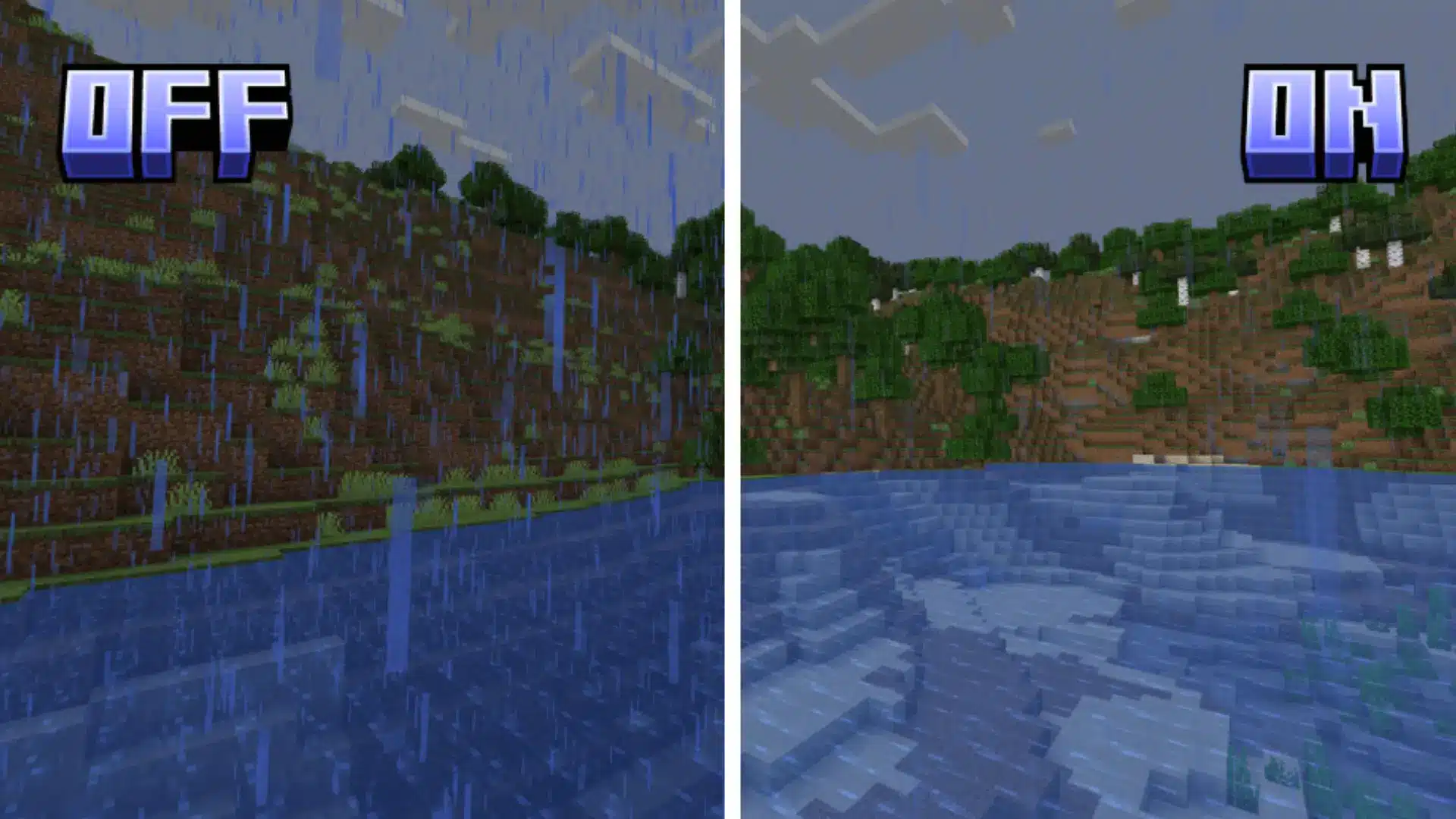
If Minecraft starts stuttering when you enter villages, forests, or areas packed with builds, Sodium is one of the easiest ways to improve the experience.
It focuses on making the game run smoother without changing the normal Minecraft feel.
I’ve found performance mods like this are often the first thing worth adding because they keep your hardware running smoothly without changing what makes Minecraft fun.
Your world stays the same, but movement feels cleaner and frame drops become less common.
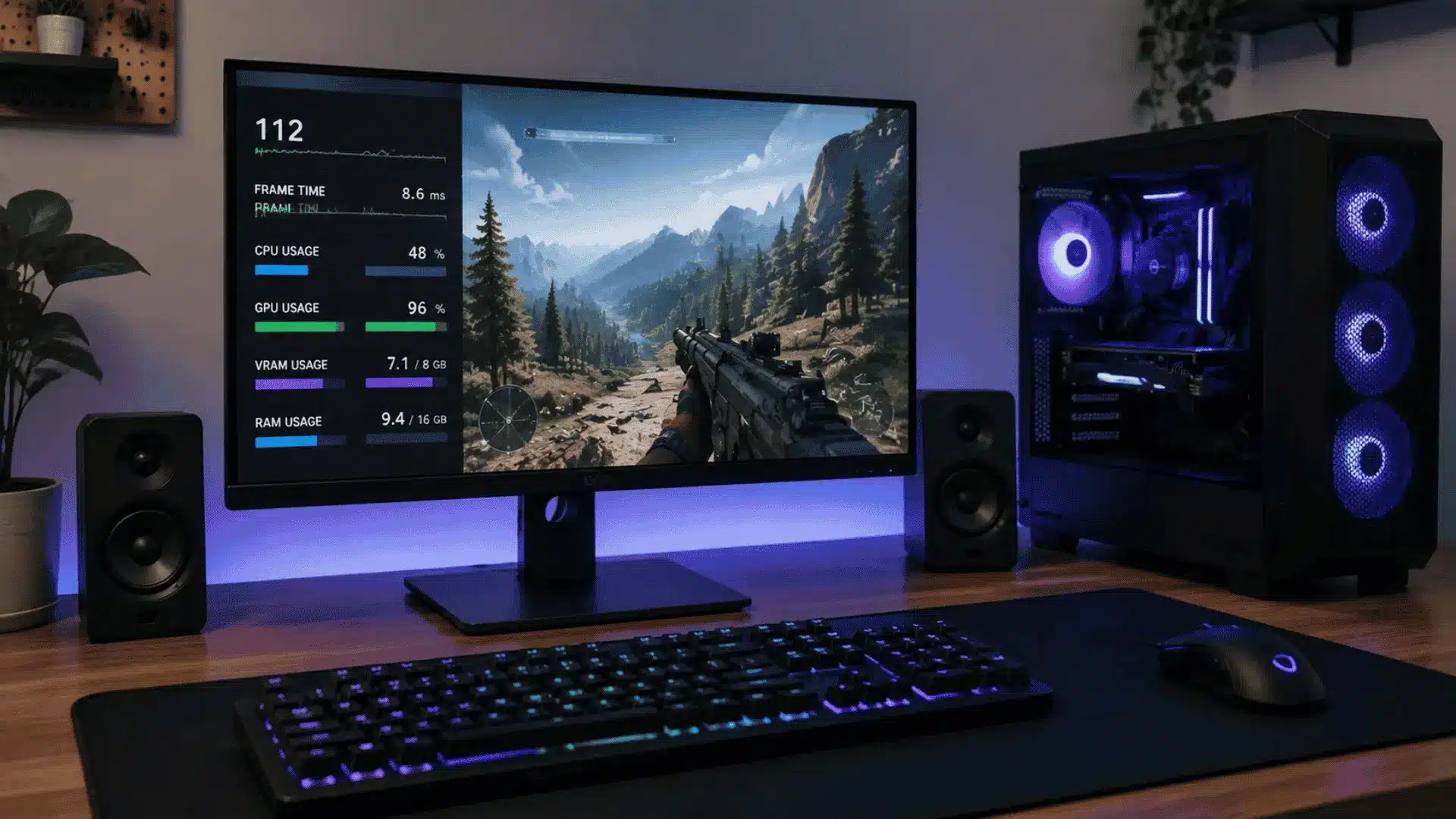
If you want to squeeze out even more frames before you touch a single mod, our guide to optimizing your gaming PC covers the settings worth checking first.
2. Just Enough Items: The Mod You Need for Recipes and Items
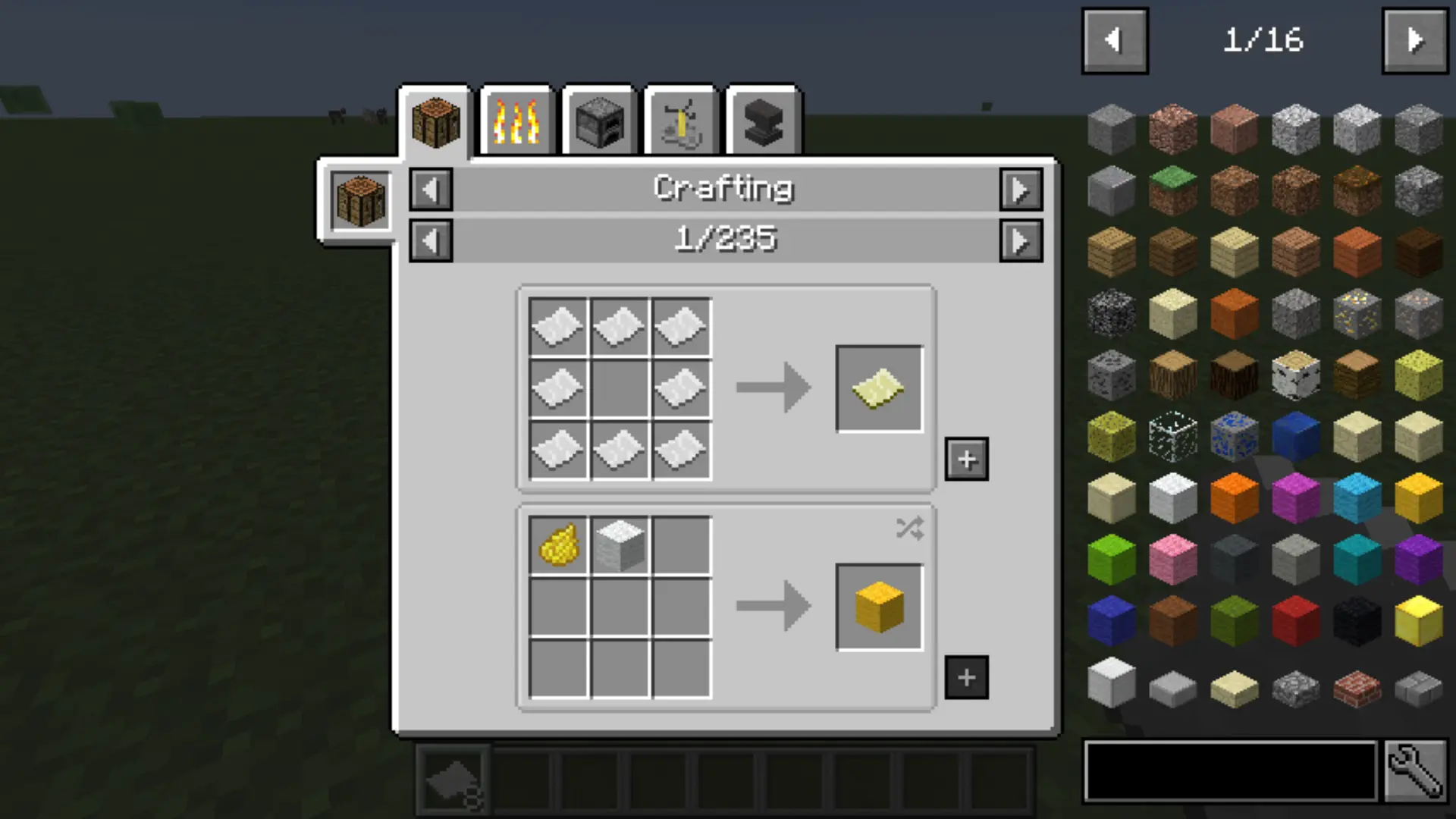
Modded Minecraft gets overwhelming pretty fast. Every new mod throws in a ton of new items and recipes, and suddenly you have no idea how to make half the stuff in your inventory.
JEI just fixes that. It puts crafting recipes and item uses right there in your inventory, so you’re not tabbing out to a wiki every five minutes.
Honestly, once I got used to having it, going back to vanilla crafting felt weirdly limited. Like, why didn’t this exist from the start?
3. JourneyMap: A Better Way to Explore Minecraft

I’ve lost my base more times than I’d like to admit. You go out exploring, find something cool, wander too far, and then spend the next hour trying to figure out where home even is. It’s not fun.
JourneyMap adds a proper map with location tracking and markers, and that’s kind of all it needs to do.
I use it mainly to drop markers on spots I want to come back to ore veins, good build locations, that one village I keep forgetting about. Saves a ridiculous amount of backtracking.
4. Iris Shaders: Better Graphics Without Losing Performance
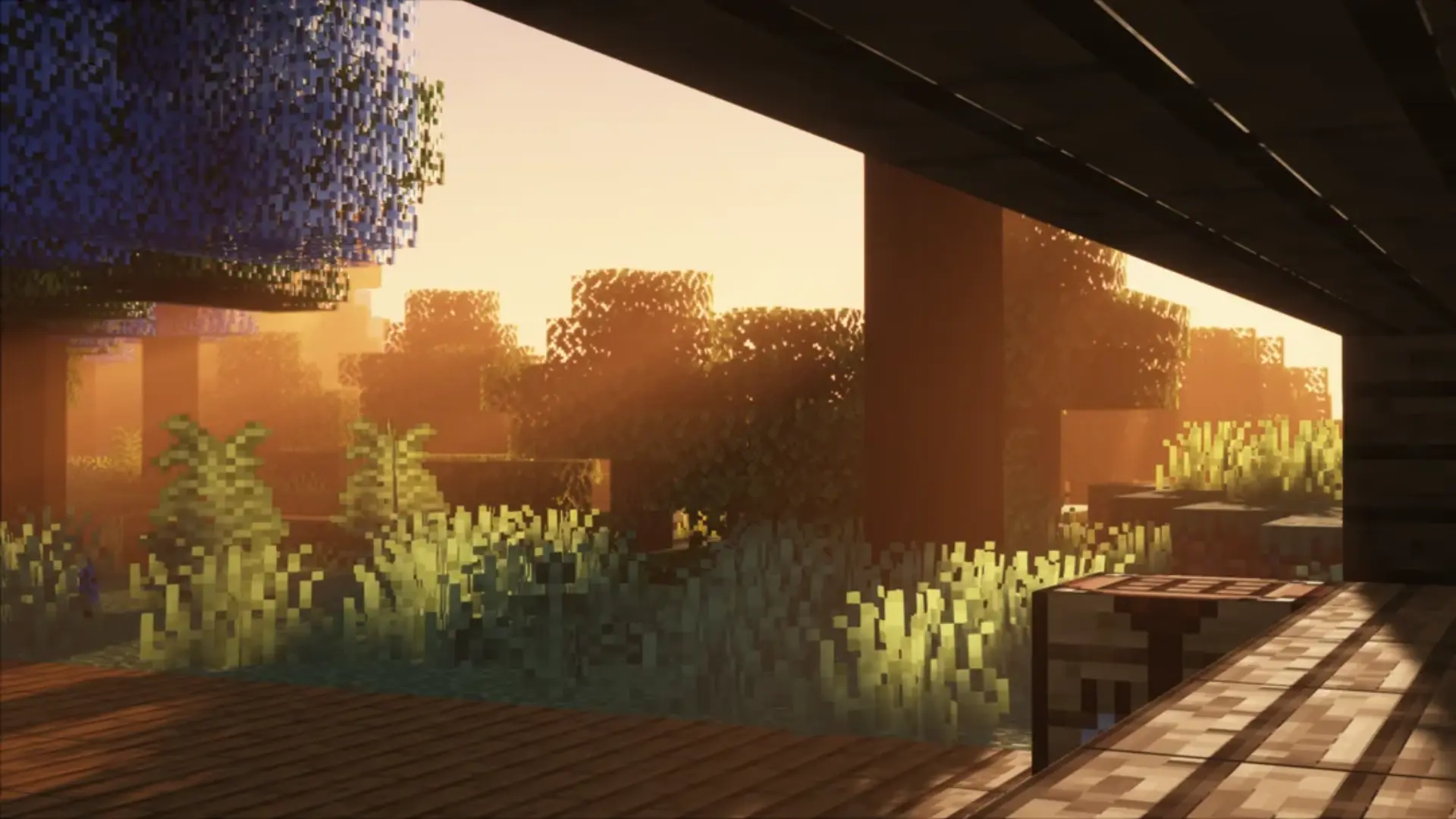
Shaders can make Minecraft look genuinely beautiful, but a lot of them just destroy your framerate.
Iris paired with Sodium is the combo that actually works; you get the improved lighting, better shadows, the whole visual upgrade, without the game turning into a slideshow.
The biggest difference I noticed wasn’t in new areas.
It was going back to places I already knew. Forests and caves I’d seen a hundred times suddenly felt different with proper lighting. Familiar spots felt worth revisiting again.
5. Biomes O’ Plenty: Add More Variety to Your World
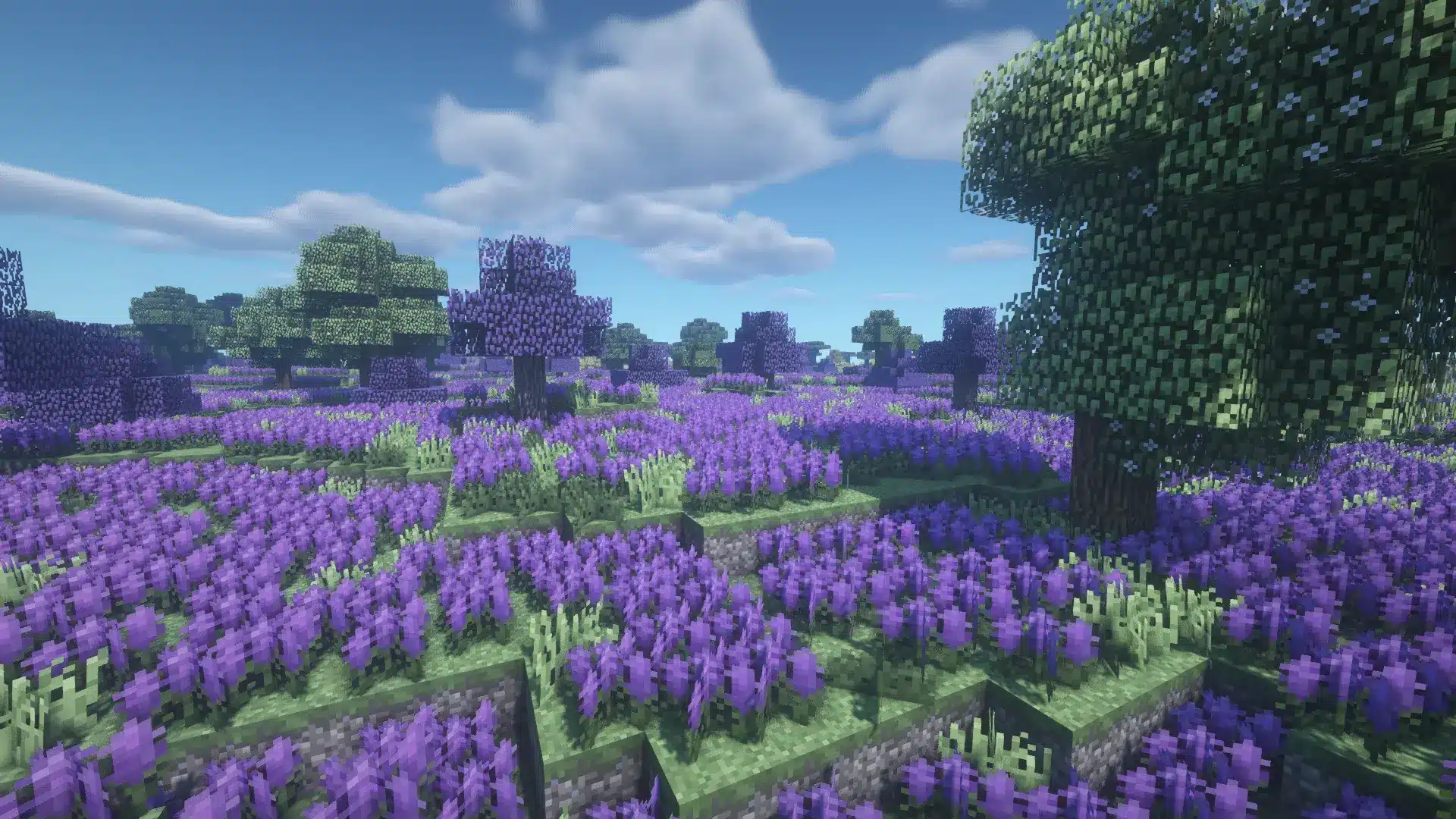
After a few worlds, vanilla biomes start to feel a bit samey.
You’ve seen the forest, you’ve seen the plains, you’ve seen the desert; you know what you’re getting. Biomes O’ Plenty just adds enough new stuff that exploration feels interesting again.
New landscapes, plants, trees, and unique materials make picking a base location actually exciting.
Every new world feels like there’s something you haven’t found yet, which is kind of the whole point of Minecraft exploration.
Note: world-generation mods are the most version-sensitive of any category. A mod built for 1.20 may have no 1.21 version at all. Check before you download. Every time.
6. Terralith: A Better Way to Explore Minecraft Terrain
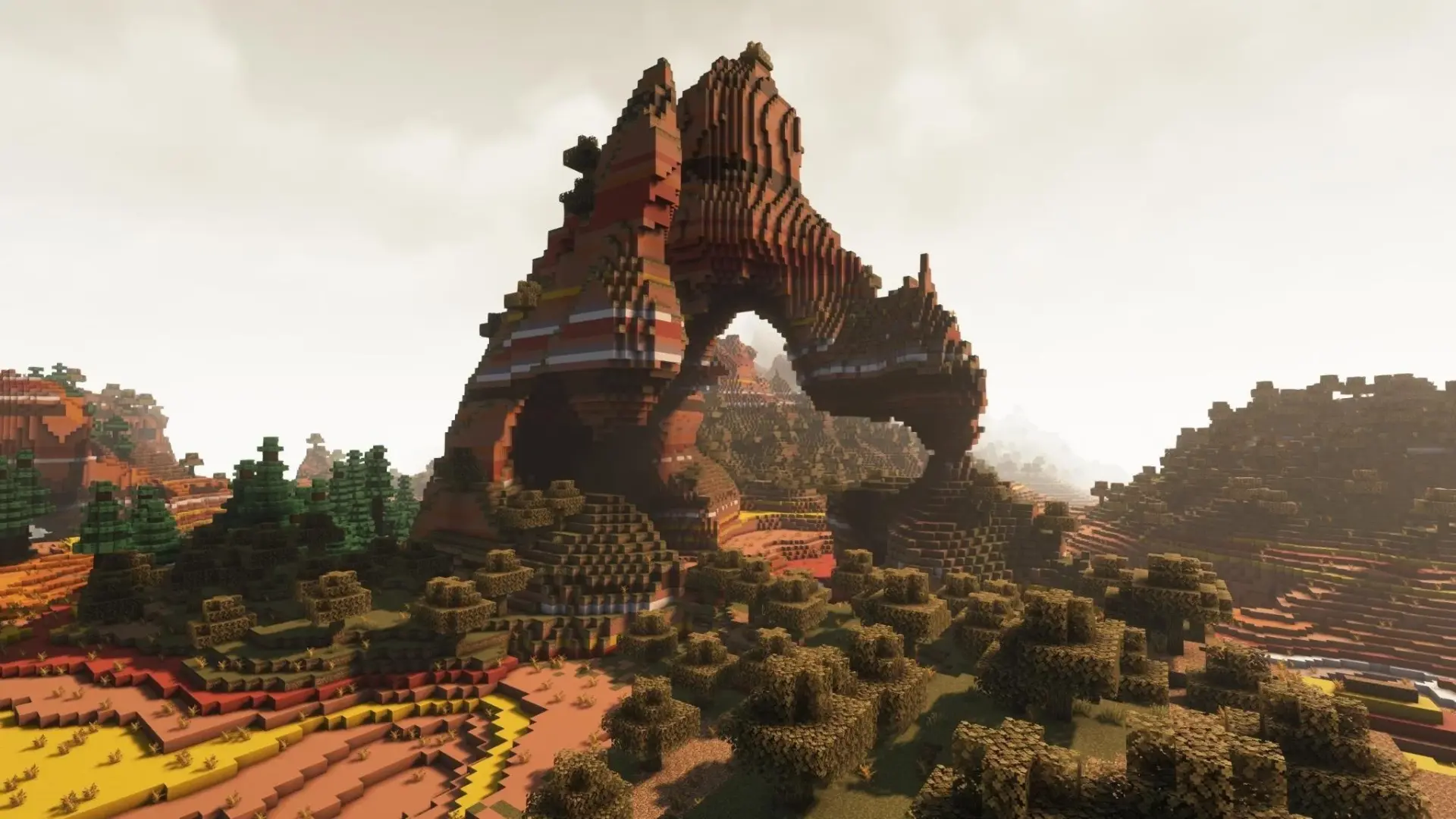
Vanilla terrain gets predictable. After enough worlds, you stop really looking at it because you already know what every hill and forest is going to look like.
Terralith changes how the world generates without adding any new blocks, so it still feels like Minecraft, just with way more interesting places to find.
Dramatic mountains, deep valleys, unusual landscapes. The terrain actually starts influencing where you want to build instead of just defaulting to whatever flat spot is nearby.
7. Create: Build Machines and Automate Your World
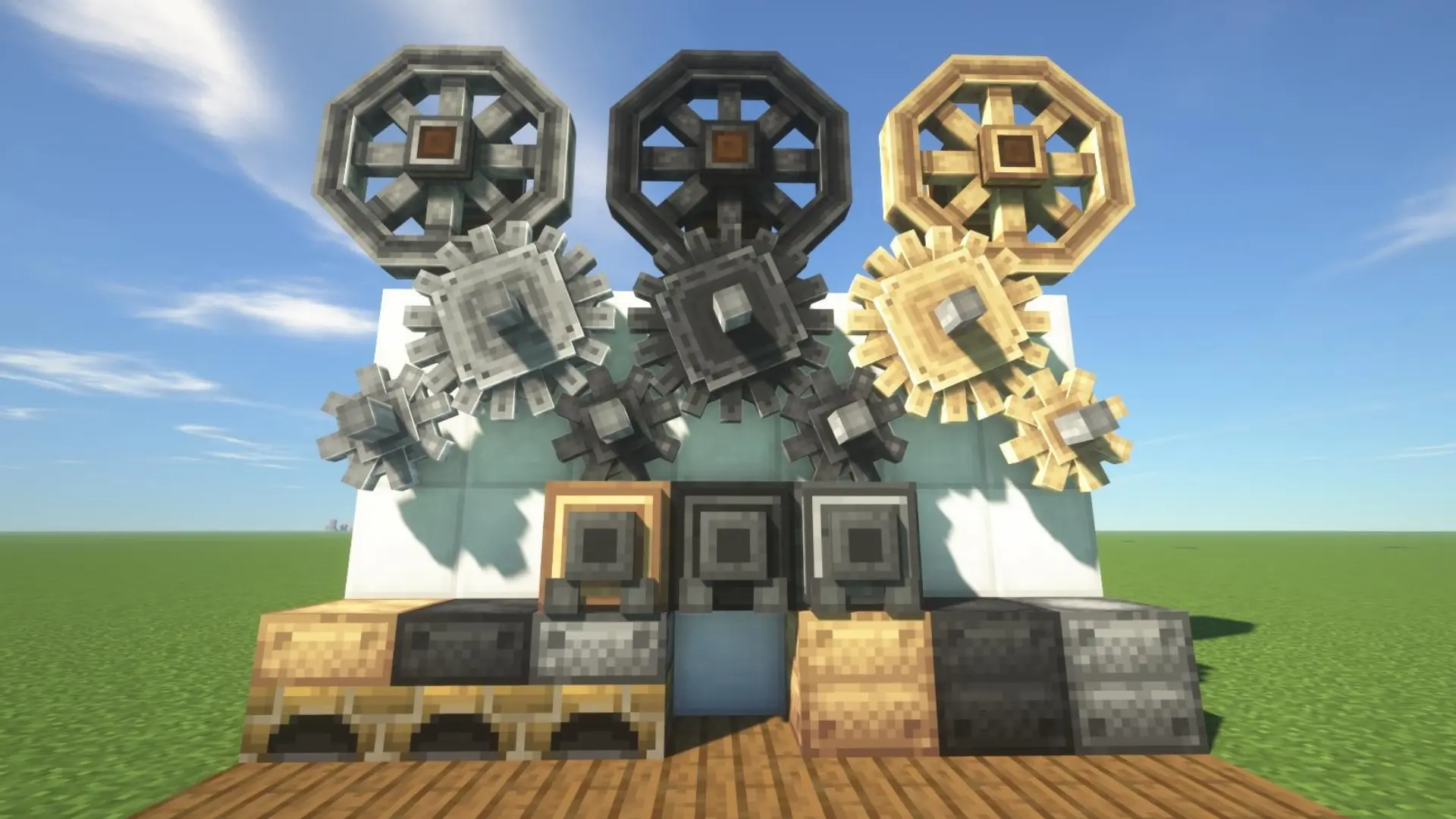
Create completely changes how you think about building. Instead of just making farms and collecting resources, you’re building actual machines: moving parts, gears, conveyor belts, automated systems.
It sounds complicated, but the fun is in figuring it out yourself. You start small, maybe one machine handling one task.
It’s the same loop that makes games built around iterative, systems-driven progression so compelling, and Create captures that feeling entirely within Minecraft.
Then you keep adding to it. Before long you’ve got a full working factory sitting in the middle of your world, and it becomes the thing you’re most proud of in that playthrough.
8. Farmer’s Delight: Make Survival Farming More Interesting
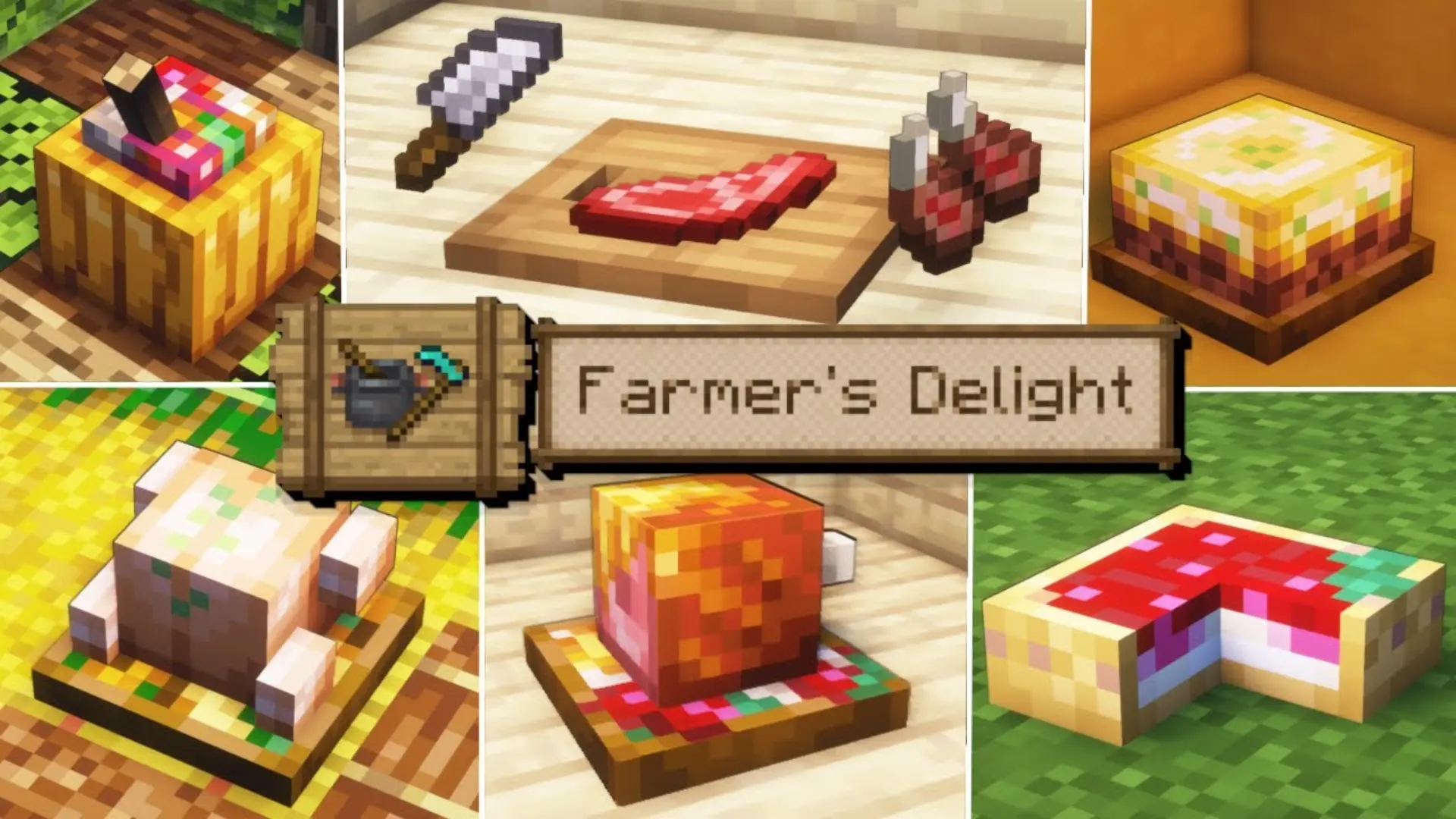
Food in survival is usually just a box you tick to get a wheat farm going, never think about it again. Farmer’s Delight actually makes you care about it.
New recipes, cooking tools, more ways to use the crops you’re already growing. It fits best in slower survival worlds where you’re actually building something and taking your time.
Gathering ingredients and improving your farm starts feeling like a proper part of the game rather than background noise.
9. WorldEditCUI: Build Large Projects Faster
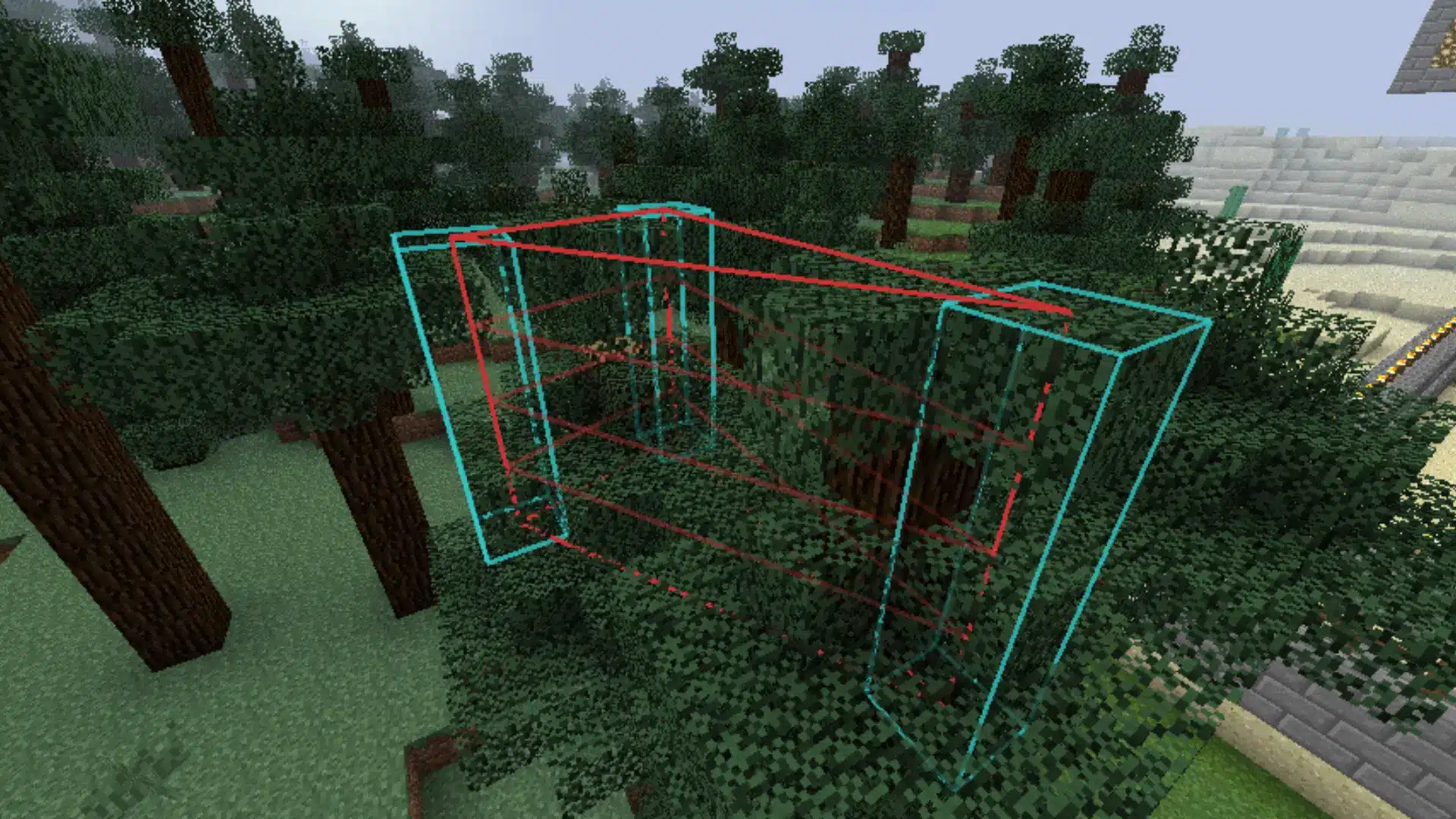
Anyone who’s tried to build something big in Minecraft knows exactly where this mod fits in. When you’re manually placing every block in a massive structure, it stops being fun and starts being a job.
WorldEdit lets you copy structures, swap out materials, and edit huge areas in seconds.
I’d keep it for creative builds, map-making, or servers where the scale of things matters. It removes the tedious, block-by-block part of big builds so you can spend that time on the actual design.
10. AppleSkin: A Simple Upgrade for Survival Players
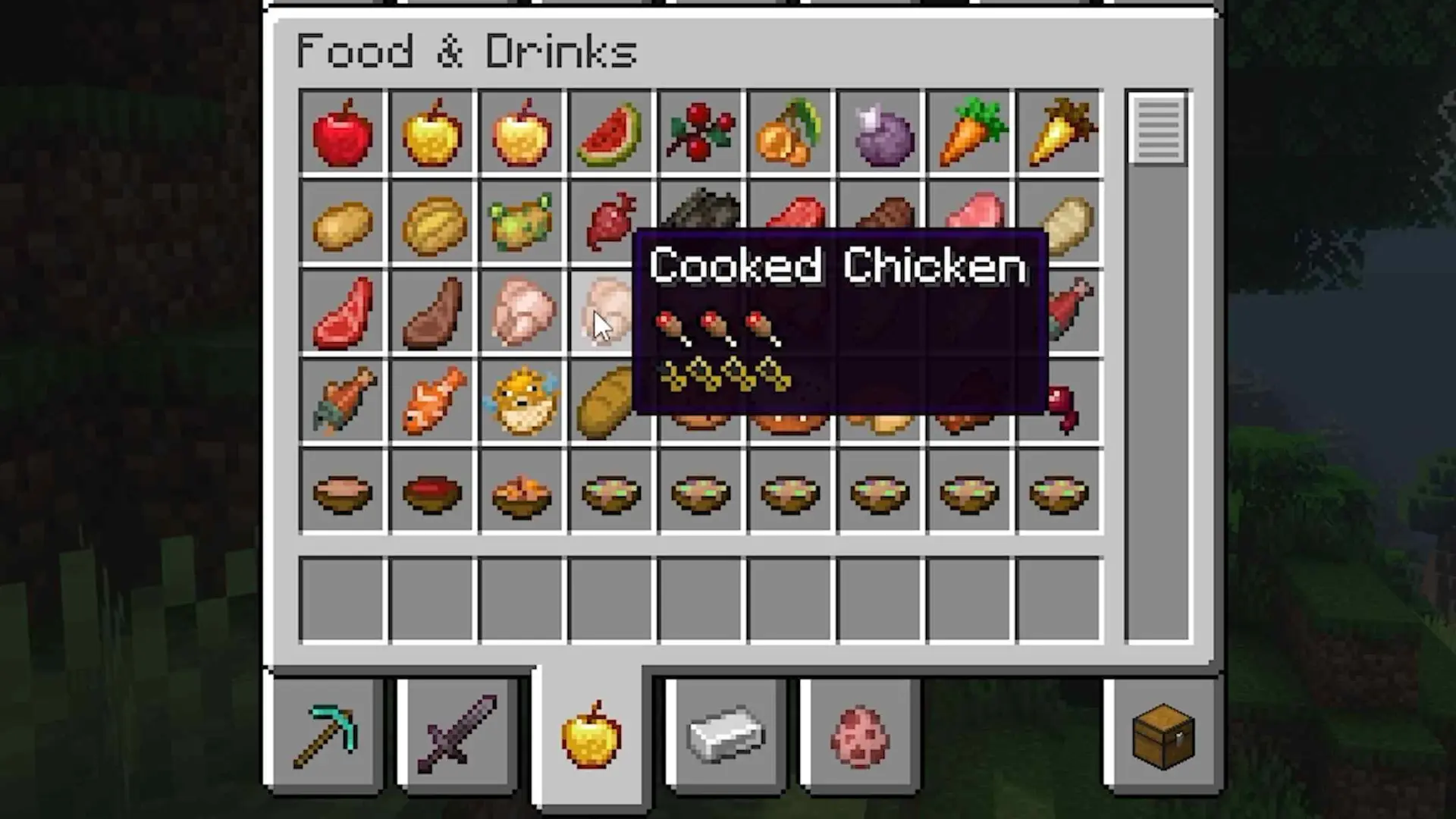
AppleSkin is one of those mods where you install it, think “okay, cool,” and then completely forget it’s even a mod after a week.
It just shows you extra food info: what each item restores, what you’re actually getting before you eat it.
It feels unnecessary right up until the moment you play without it. Then you notice. It’s a small thing, but survival feels a bit more put together with it.
11. Alex’s Mobs: Add More Life to Minecraft’s World
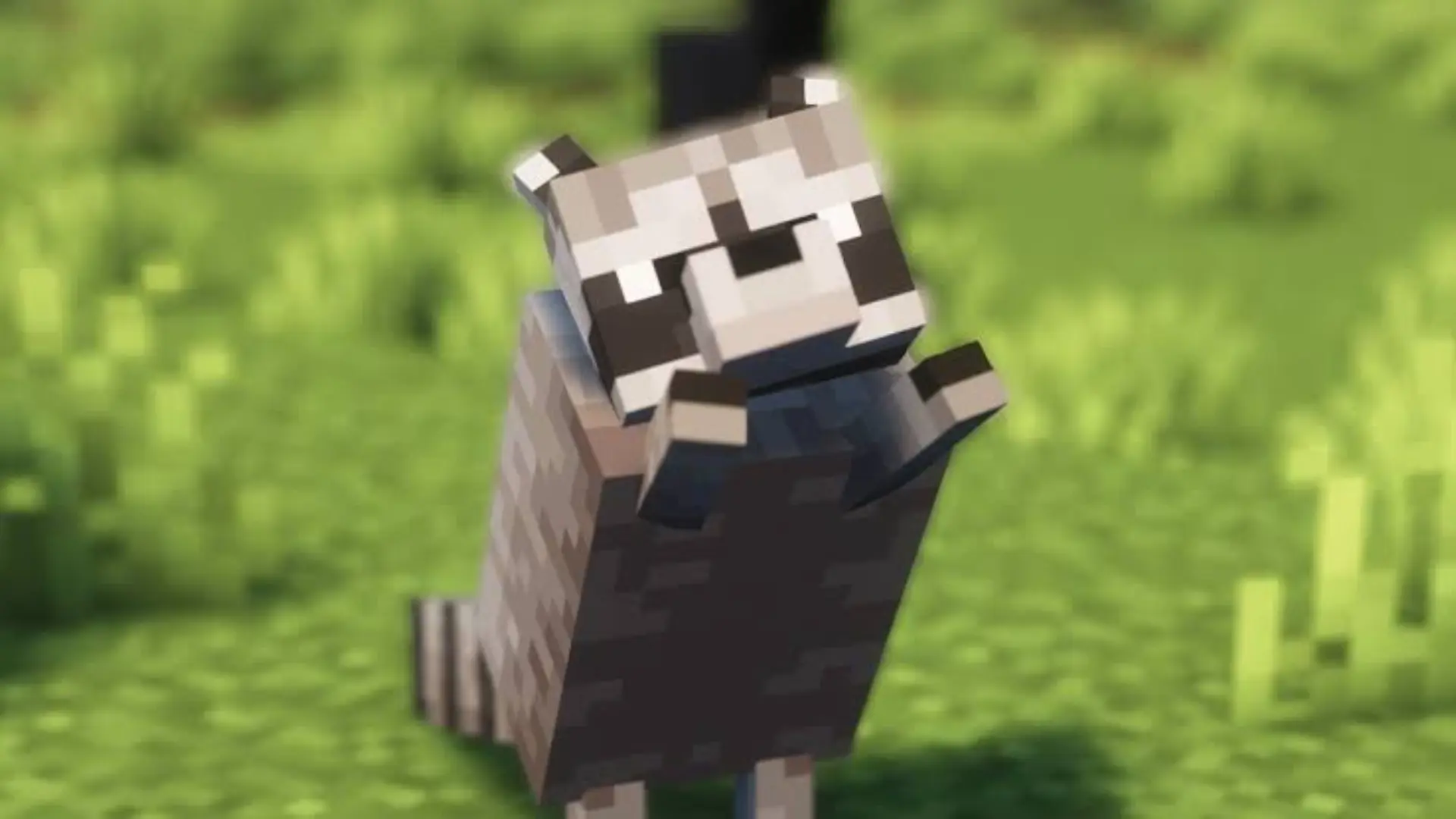
Vanilla mobs are fine, but after a while the world starts feeling a bit quiet.
You know exactly what’s going to spawn where and nothing really surprises you anymore. Alex’s Mobs changes that without messing with the core feel of the game.
It just adds more stuff to encounter: unexpected creatures in places you thought you knew. The world still feels like Minecraft. It just feels a lot less empty, which is exactly what it needed.
12. Simple Voice Chat: Better Communication With Friends
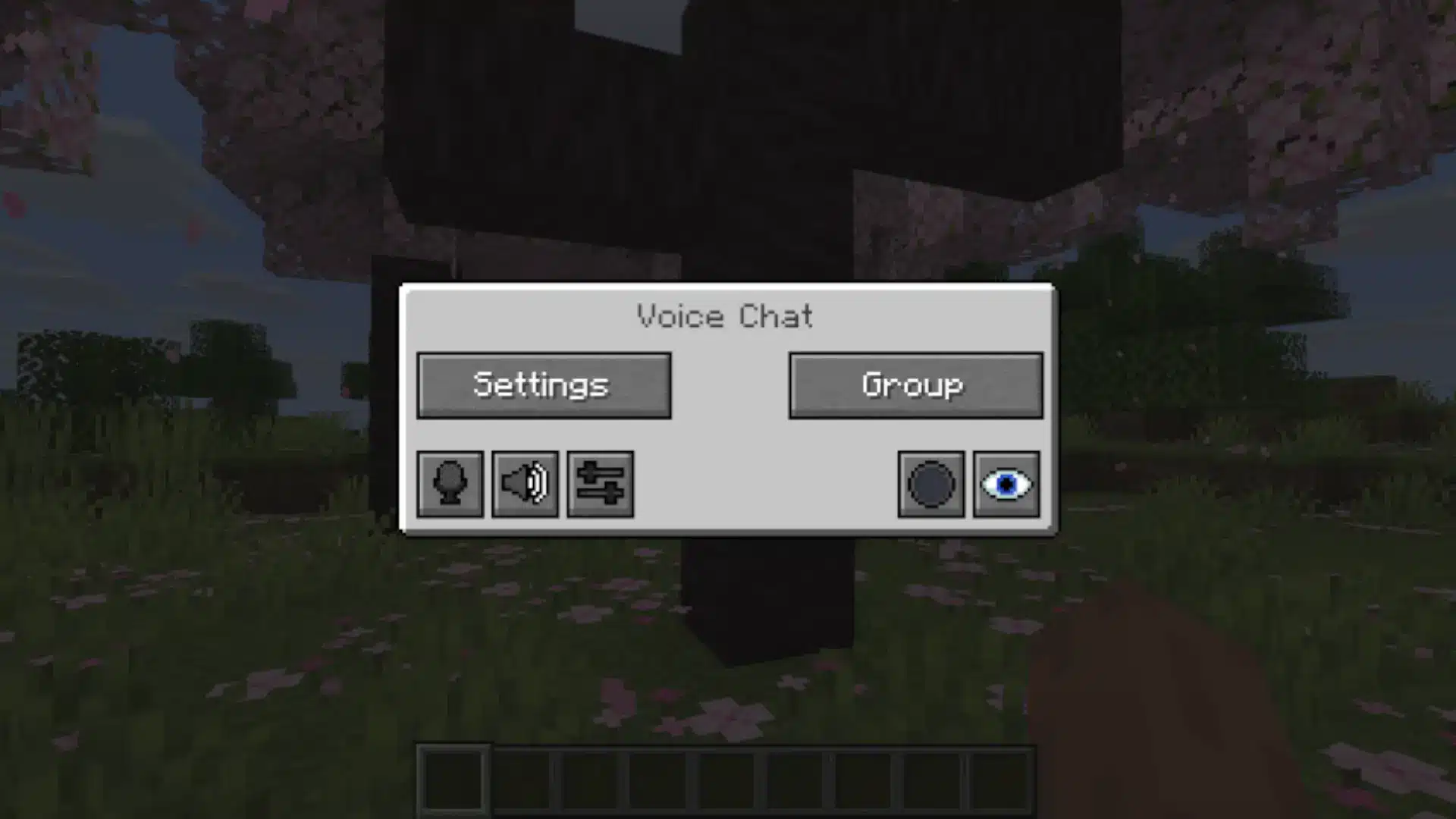
Trying to type mid-fight or while you’re exploring is just awkward. Simple Voice Chat adds proximity voice chat, so conversations happen naturally while you’re actually playing.
Genuinely some of the funniest moments I’ve had in multiplayer came from this mod.
Someone mid-sentence suddenly panicking because they fell into a ravine, or screaming because a creeper showed up out of nowhere.
Those reactions make a shared world feel actually alive in a way that text chat never quite does. Coordination is easier too; you can just call things out in real time without stopping everything to open chat.
13. Mouse Tweaks: Make Inventory Management Easier
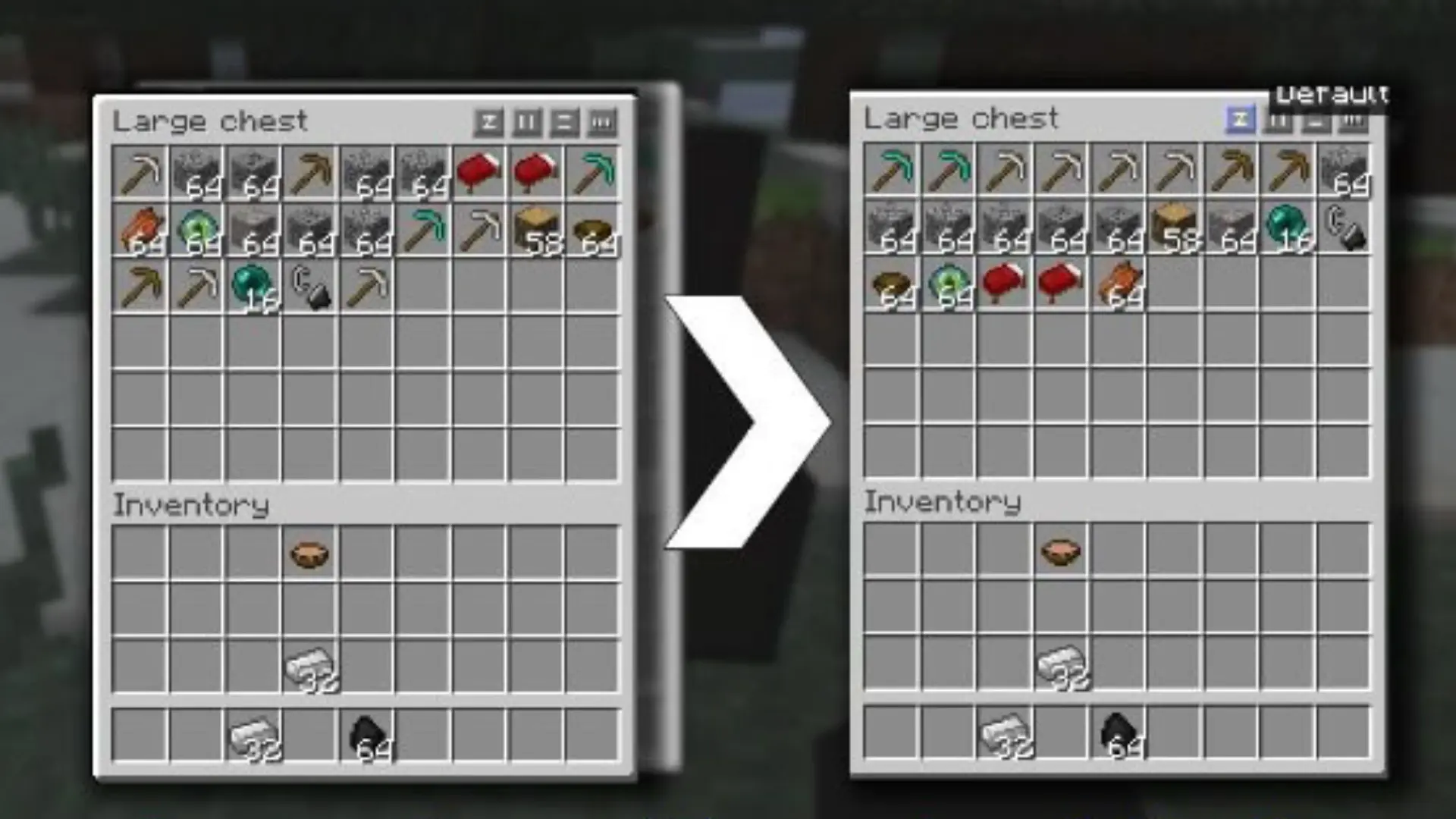
Inventory management in Minecraft isn’t bad; it’s just slow sometimes. Moving items around, sorting stuff out, filling crafting grids it adds up.
Mouse Tweaks makes all of that quicker with better click-and-drag behavior.
It doesn’t add anything new or change how the game works. It just smooths out one of those small annoyances that you stop noticing until you go back to playing without it.
How to Install the Best Minecraft Mods: Step by Step
Installing mods isn’t complicated once you do the loader first. Here’s the order that avoids most first-time crashes:
- Install the loader: Download and run the installer for Forge, Fabric, or NeoForge that matches your Minecraft version. This creates a separate launcher profile.
- Download mods for that exact loader and version: Grab each mod file from CurseForge or Modrinth, checking the loader tag every time.
- Drop the files into the mods folder: Place the downloaded .jar files into the mods folder inside your instance, not the main game folder.
- Launch through the right profile: Select the Forge, Fabric, or NeoForge profile in your launcher, not the vanilla one.
- Test in small batches: Add five or six mods, confirm the game launches, then keep adding in small groups so a crash points to one mod instead of the whole list.
If picking mods one by one feels like too much upfront work, a tested modpack from FTB, CurseForge, or Modrinth bundles a compatible set for you. It’s a reasonable starting point, though it trades some control for convenience.
How to Avoid Minecraft Mod Compatibility Problems
Compatibility, not content quality, is the most common reason a mod fails to work. The best mod in the world will crash your game if it’s built for a different loader or version than what you’re running.
- Check mod compatibility before installing: Most crashes happen because of small compatibility issues, not because the mod itself is broken. Before adding any mod, check its supported loader and Minecraft version on CurseForge or Modrinth.
- Make sure every mod matches: A mod list only works when every file lines up correctly. One wrong loader or version in a setup with multiple mods can stop the entire game from launching.
- Use tested modpacks if you’re new: If manual setup feels overwhelming, start with modpacks from FTB, CurseForge, or Modrinth. These packs are already tested, so you can install them and start playing without troubleshooting every mod.
- Expect some crashes with custom lists: Building your own mod collection gives you more control, but problems will happen. Crashes are part of finding which mods work well together.
- Read crash logs instead of reinstalling everything: When Minecraft fails to launch, the crash report usually points toward the problem mod. Check the mentioned file, look for known conflicts, and remove or replace only the mod causing the issue.
The crash log feels intimidating the first time you open it. It’s actually just a list with an answer buried in it. Learn to read it once, and you’ll never spend three hours troubleshooting blind again.
Conclusion
The best Minecraft mods are not the ones with the biggest download numbers. They are the ones that fit your version, loader, playstyle, and patience level.
A smoother game, a better map, new biomes, smarter tools, or livelier mobs can all make Minecraft feel fresh again, but only when the setup stays stable.
I would start with performance and quality-of-life first, then add bigger world-changing mods once everything runs cleanly.
That order saves more time than chasing every popular mod at once. Build your list slowly, test each batch, and keep what actually improves your world.
Which mod are you installing first? Tell us in the comments below.
Frequently Asked Questions
What Are the Best Minecraft Mods for Beginners?
New players benefit most from starting with a curated modpack rather than individual mods. Packs like FTB Academy or Direwolf20 are designed to teach modded mechanics without overwhelming the player. If installing mods individually, begin with quality-of-life mods like Just Enough Items and Waystones before adding content-heavy additions.
Do the Best Minecraft Mods Work on Both Forge and Fabric?
Most popular mods are built for one loader or the other, not both, since Forge, Fabric, and NeoForge each use a different modding system. Some, like Biomes O’ Plenty, offer separate downloads for each. Always check the mod’s loader tag on CurseForge or Modrinth before downloading, since mixing Forge and Fabric mods in the same instance is not possible.
What Is the Difference Between a Mod and a Modpack?
A mod adds a single feature or system to the game, built by one developer or a small team. A modpack is a pre-assembled collection of compatible mods, often with custom configurations and balance changes. Modpacks are easier to install and guaranteed to work together, while individual mods give more control but require manual compatibility checking yourself.
Are the Best Minecraft Mods Free?
The vast majority of Minecraft mods are free to download from CurseForge or Modrinth, since most modders release their work for the community rather than for profit. A small number of creators sell premium add-ons through their own sites, but the most widely recommended community mods, including performance, quality of life, and world generation picks, are free to use.