I expected installing Valorant on my Mac to be quick, but I found out it wasn’t that simple. If you’re asking whether you can play Valorant on a Mac, the answer depends on the hardware you own.
Intel Macs and Apple Silicon Macs have very different options, and many popular methods don’t work because of Riot Vanguard.
Knowing what actually works can save you time and frustration.
If you eventually get the game running, I’ll also refer to related Valorant topics, including Zekken settings, where they fit naturally for anyone interested in improving their gameplay.
Can You Play Valorant on Mac?
Valorant doesn’t run on macOS, and Riot hasn’t released an official version or any supported workaround for Mac users.
The blocker isn’t a missing port or slow development. It’s Vanguard, Riot’s kernel-level anti-cheat system. Vanguard only works on Windows. That one fact rules out most fixes you’d naturally think to try first.
The chip in your Mac, Intel or Apple Silicon, determines which options are actually available to you.
Why Can’t You Play Valorant on Mac?
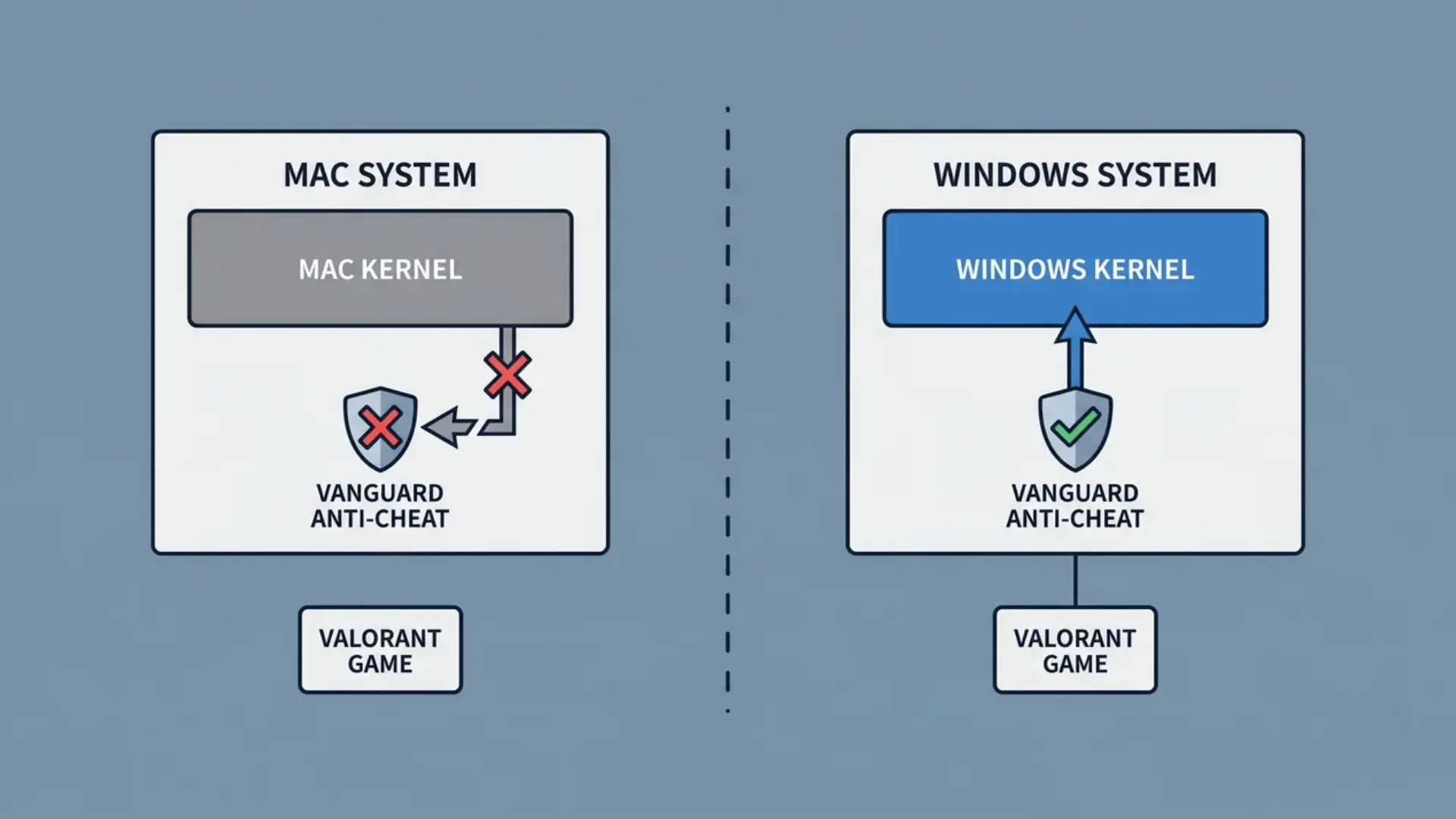
Riot’s Vanguard anti-cheat is why Valorant won’t run on macOS. It needs Windows kernel-level access, something macOS doesn’t allow.
The kernel is the core of an operating system. It controls hardware, memory, and every process running on your machine.
Vanguard loads at that level on Windows. It monitors the system from the ground up to catch cheats before the game even launches.
macOS restricts third-party kernel access and uses a different security model than Windows. Supporting Valorant would require Riot to build and maintain a separate version of Vanguard for macOS.
That’s why virtualization tools like Parallels, CrossOver, and Wine don’t help. They create a layer above the kernel, exactly where Vanguard refuses to operate.
Vanguard detects it’s not talking directly to Windows hardware and shuts the game down. It doesn’t matter how good the emulation is.
This isn’t a policy decision Riot could reverse overnight. Rebuilding Vanguard for macOS would mean rewriting it from scratch for a completely different architecture.
How to Play Valorant on an Intel Mac?
If you have an Intel Mac, you can run Valorant natively using Boot Camp. It installs Windows directly on your machine, giving Vanguard the kernel access it needs.
This isn’t a workaround. It’s a real Windows environment running on your hardware.
1. What Do You Need Before Starting?
Before you open Boot Camp Assistant, make sure you have these ready:
- Windows 10 ISO file: Boot Camp officially supports Windows 10. Download the ISO from Microsoft’s official website.
- Storage space: You’ll need at least 100 GB free on your drive
- Boot Camp Assistant: Already on your Mac, find it in Applications > Utilities
Don’t skip the storage check. Tight partitions are one of the most common reasons installs fail halfway through.
2. Setting up Boot Camp
Open Boot Camp Assistant and follow the on-screen prompts. Here’s where most installs go wrong:
- Partition size: Set it to at least 100 GB. Less than that causes installation errors or leaves no room for the game.
- Windows ISO: Select the Windows 10 ISO you downloaded when Boot Camp Assistant prompts you.
Your Mac will automatically restart into Windows once the installation finishes. Let it complete without interrupting the process.
3. Installing Valorant in Windows
Once you’re inside Windows, installing Valorant is straightforward.
- Go to playvalorant.com and download the installer
- Run it, sign in with your Riot account, and let it install
- Vanguard installs alongside the game and will prompt a restart
After that restart, Valorant runs exactly like it does on any Windows PC.
Can You Play Valorant on M1, M2, M3, or M4 Macs?
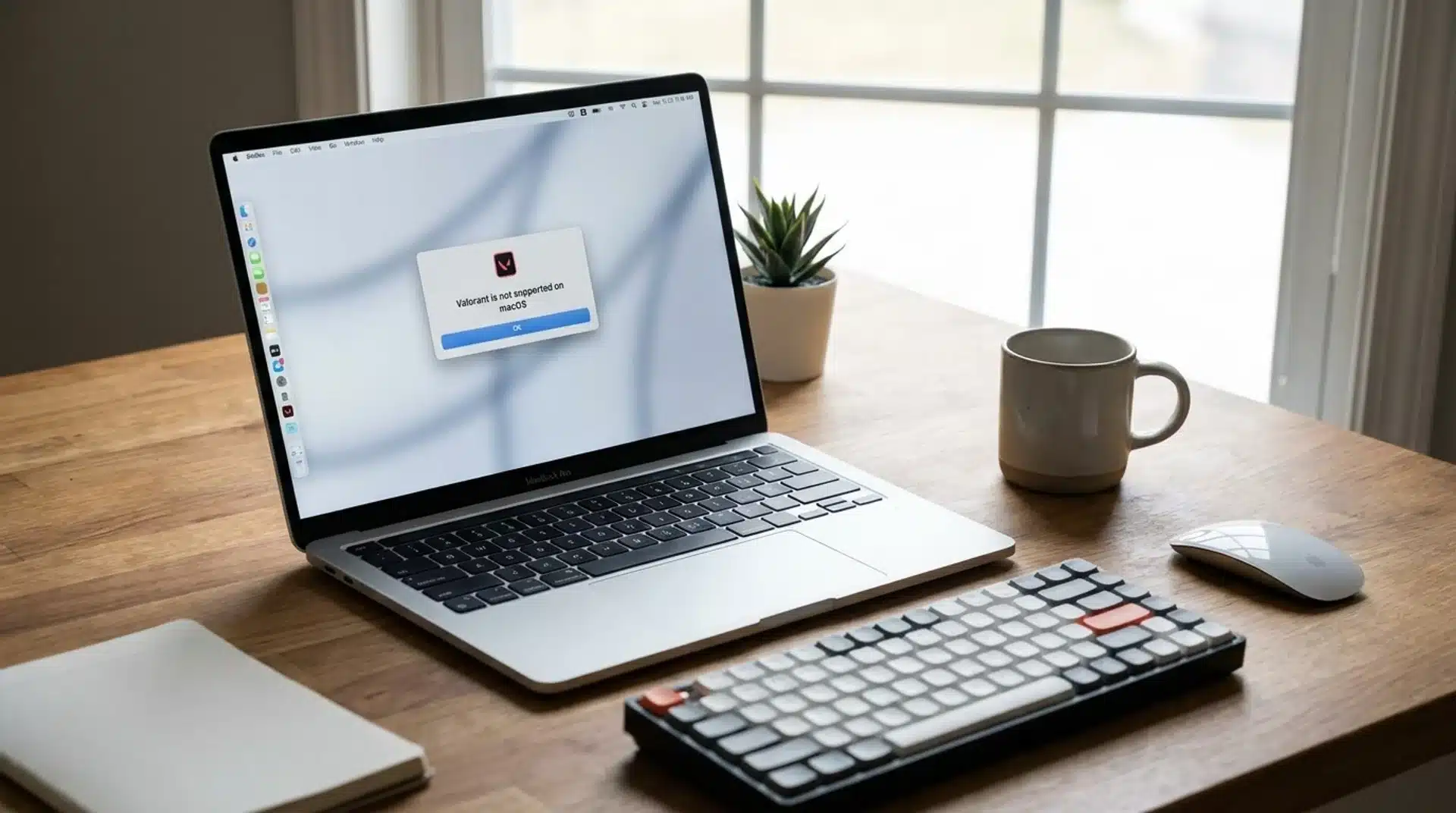
Apple Silicon Macs cannot run Valorant locally; there is currently no way to make it work. Your only viable options are to run the game on a Windows machine and stream it to your Mac.
Why Parallels and Cross-Over Don’t Work?
Parallels can run Windows on M-series chips through ARM emulation. It’s impressive software, but it doesn’t help here.
Vanguard detects that it’s operating inside a virtualization layer, not on real Windows hardware. The moment it does, it blocks the game from launching.
CrossOver has the same problem. No virtualization tool currently fools Vanguard, regardless of how well it emulates Windows.
Streaming from Your Own Windows PC
If you already own a Windows PC, you can stream Valorant directly to your Mac at no extra cost.
- Moonlight: Open-source app. Pairs with Nvidia GPUs for low-latency streaming over your home network.
- Parsec: Works with most hardware. Slightly easier to set up and good for in-home streaming.
Neither requires a subscription. Performance depends on your home network speed and the PC’s specs.
Will Valorant Ever Come to Mac?
Riot Games has not announced a native macOS version of Valorant or shared any plans for one.
The main obstacle is Riot Vanguard, the game’s kernel-level anti-cheat system, which is built for Windows and would require significant engineering work to support macOS.
Riot has not indicated that such a project is underway. For now, Intel Mac users can still play by installing Windows through Boot Camp.
Apple Silicon Macs (M1, M2, M3, and M4) cannot run Valorant locally because Boot Camp is unavailable and virtualization tools are blocked by Vanguard.
Streaming from a Windows PC remains the most practical option for Apple Silicon users.
Conclusion
The answer to can you play Valorant on Mac depends entirely on the Mac you own.
Intel models can run the game through Boot Camp, while Apple Silicon Macs still can’t run it locally because of Riot Vanguard. Knowing what works makes it easier to choose the right setup and avoid wasting time on unsupported methods.
If you’re already playing Valorant, you may also find our related articles, such as player settings and gameplay tips, helpful as you continue improving.
Have you tried playing Valorant on a Mac? Share your experience or questions in the comments below.
Frequently Asked Questions
Can you play Valorant on Mac through Steam or Epic Games?
No. Valorant is not available on Steam or Epic Games. The game is distributed through Riot’s own launcher, which currently does not have a macOS version.
Does Valorant support a Mac version?
No. Riot Games has not released a Mac version of Valorant. The game is officially available only for Windows users.
Does CrossOver support Valorant on Mac?
No. CrossOver cannot run Valorant because Riot Vanguard blocks compatibility layers that do not provide native Windows system access.
Can you use an external GPU to play Valorant on a Mac?
No. An external GPU can improve graphics performance in some Mac applications, but it does not resolve Vanguard compatibility issues or enable Valorant to run on macOS.